Here are the seven Kling 4.0 prompts I ran live on Higgsfield, word for word and ready to copy. Each one comes with the mode and settings I used, what came out and where it slipped. They cover start and end frames, four keyframes, a fake doorbell-camera clip, a two-person interview with References, Edit video, a talking character and a 30-second one-take. All seven results play in full in the video above.
How are these prompts built?
Every prompt follows the same order: what happens, then the camera ("locked-off close-up", "fixed camera", "handheld", "selfie vlog", "one continuous FPV drone shot"), then the light or look, then the sound. Kling 4.0 makes stereo sound, so I describe the sound in every prompt. Spoken lines go in quotes. I planned each shot before generating, and the start pictures and references were made on Higgsfield with Nano Banana Pro. Kling 4.0 accepts prompts up to 8,000 tokens, but none of these needed more than a short paragraph.
1. Start and end frame prompt: the sneaker that's a cake
Mode: Frames, start + end frame · 8 s · 16:9 · 1080p
A hand picks up the chef's knife and slowly slices straight down through the middle of the sneaker. The two halves fall apart to reveal it was a cake all along: soft sponge layers and white frosting inside, crumbs on the board. Locked-off close-up, soft daylight, the crunch of the knife and a soft thud as the halves fall.
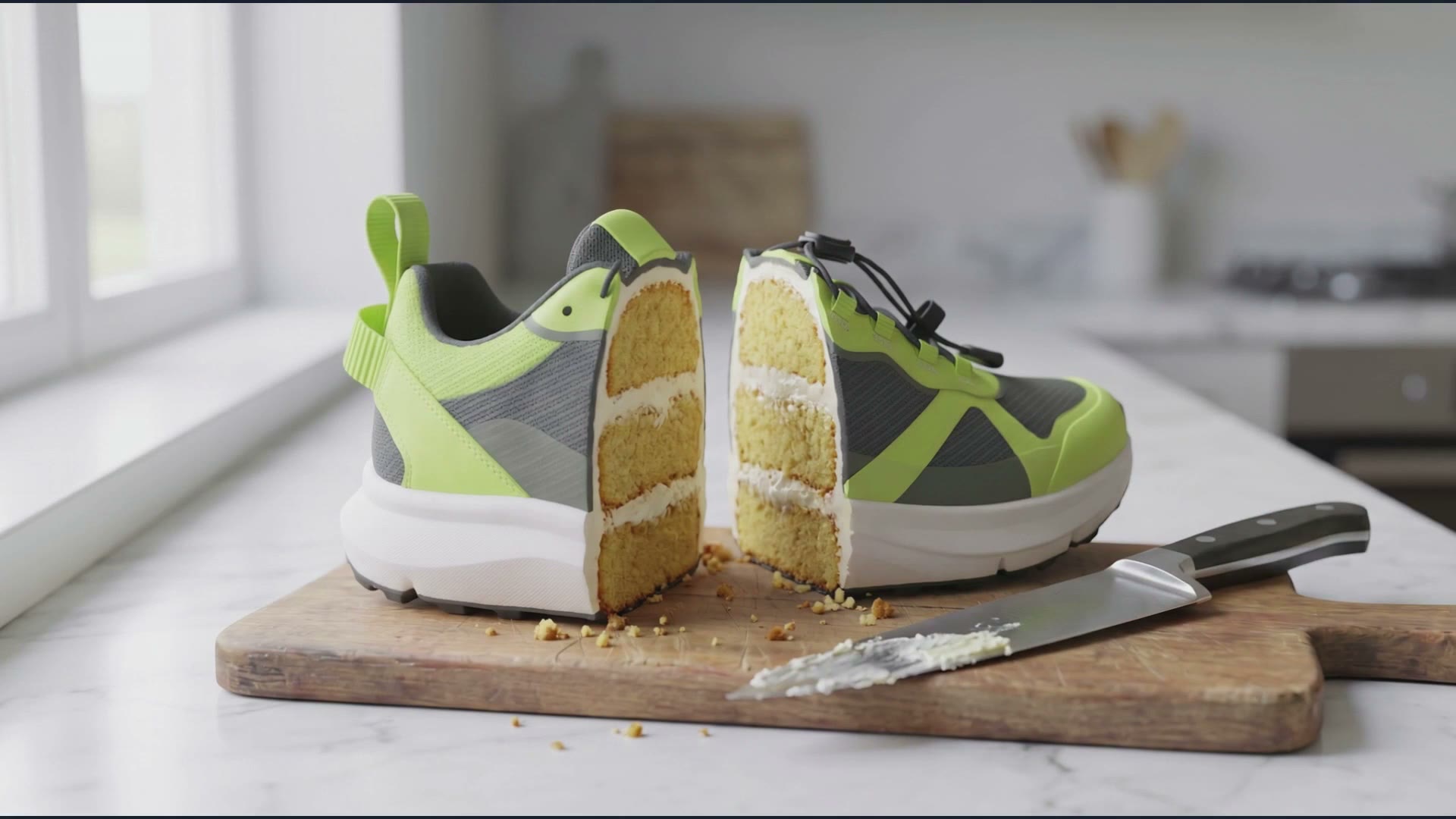
Result: it started right on the sneaker, sliced straight through and landed almost exactly on the planned end frame. Slip: the knife comes back out without leaving a cut or a mark.
2. Multiple keyframes prompt: kitten to lion
Mode: Frames, 4 keyframes (kitten, cub, young lion, adult lion) · 8 s · 16:9 · 1080p
The tiny kitten on the sofa grows, step by step, into a lion cub, then a young lion, then a full-grown male lion standing on the cushions. One continuous shot, locked-off camera, the room never changes. Soft purring that deepens into a low roar.
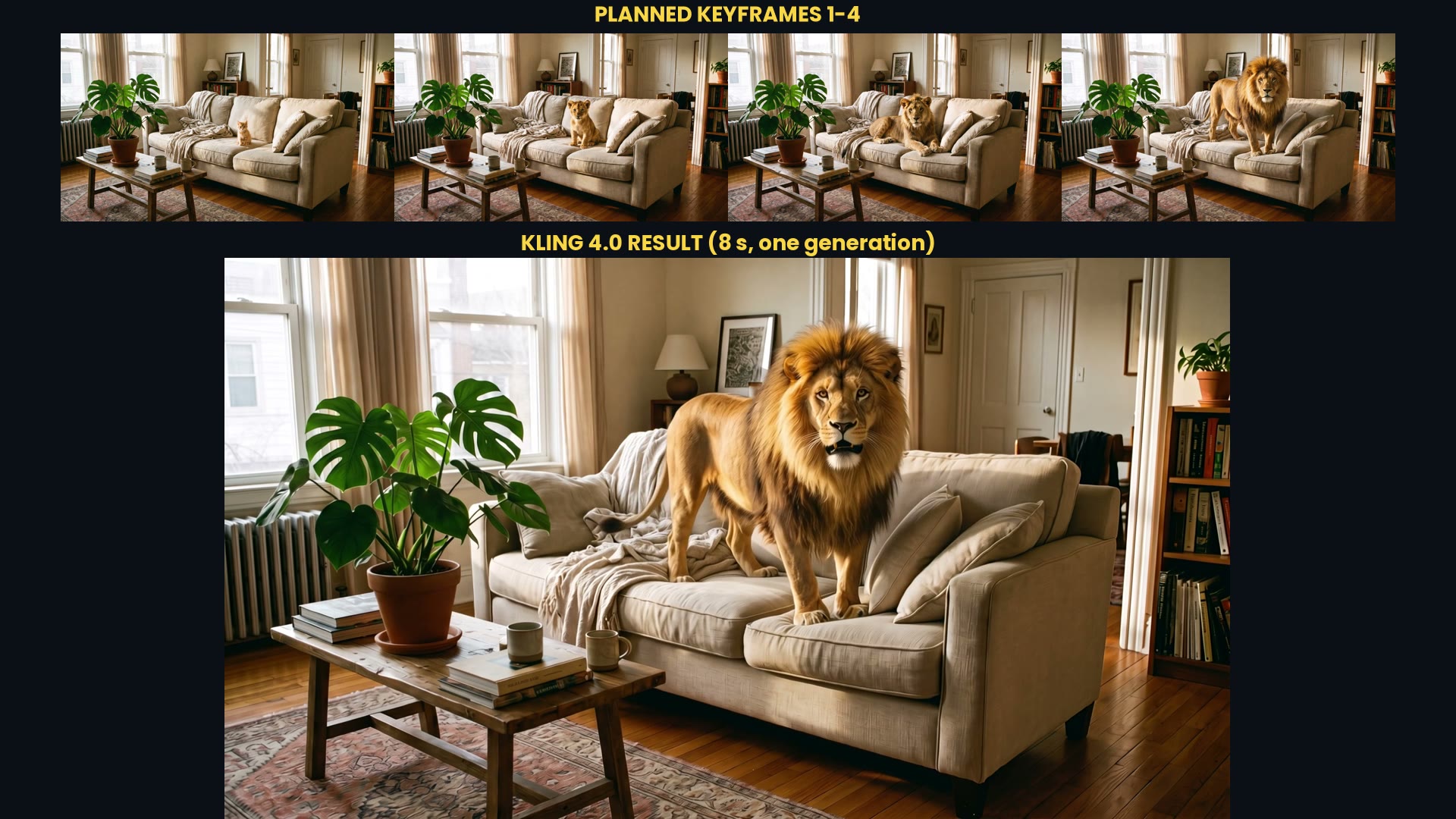
Result: every stage was there, in the right order, and the room didn't change once. Note how the prompt names the stages in the same order as the keyframes.
3. Doorbell camera prompt
Mode: Frames, start frame · 8 s · 16:9 · 1080p
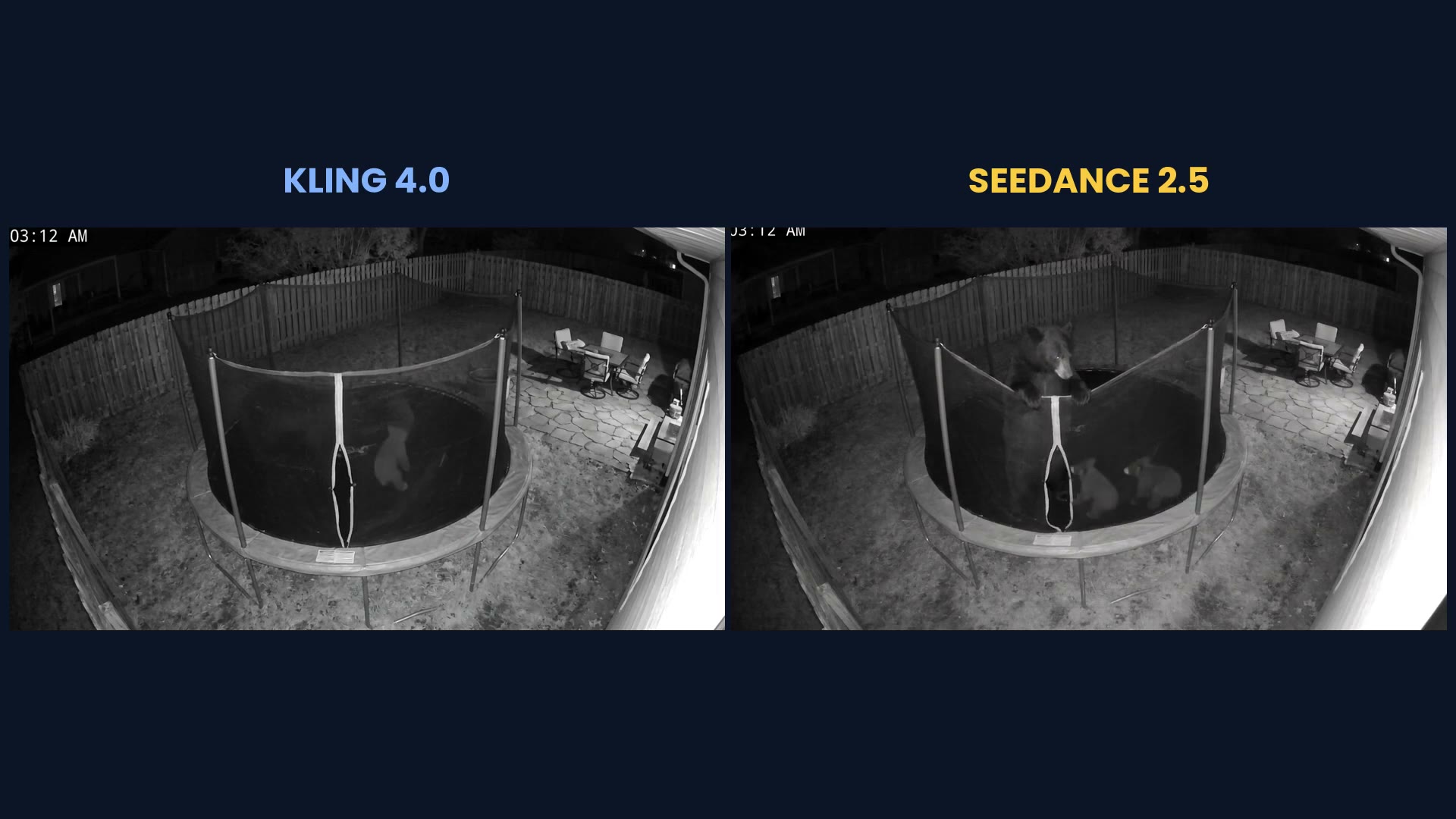
Night-vision doorbell camera footage, fixed camera, no camera movement. The two bear cubs climb onto the trampoline and start bouncing clumsily while the mother bear stands at the edge watching. The net sways, grainy infrared noise, the timestamp stays in the corner. Quiet night ambience, springs creaking.
Result: for the first second it could pass for real doorbell footage, and the mother bear climbs over the net to join the cubs. Slip: one cub passes straight through the net instead of using the zipper opening.
4. Lip sync prompt with References: street interview
Mode: References: reporter, woman with a coffee, golden-hour street (3 pictures, tagged with @) · 8 s · 16:9 · 1080p
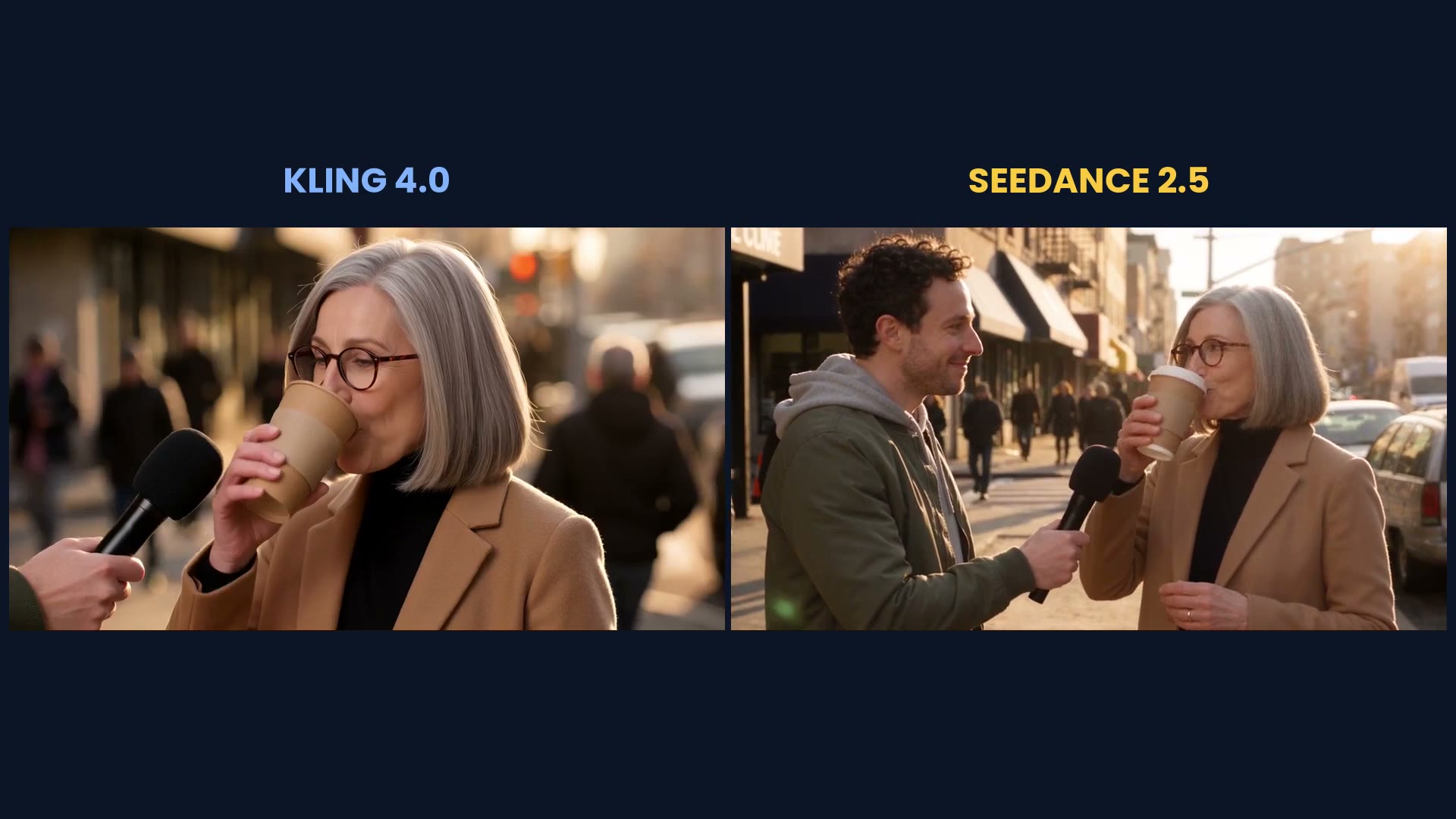
Handheld street-interview shot on the busy golden-hour sidewalk from image 3. The reporter from image 1 holds his microphone out to the woman from image 2 and asks, "What's the best advice you've ever been given?" She smiles, takes a sip of her coffee and says, "Never trust anyone who doesn't tip the barista." Natural lip sync, street noise, people walking past.
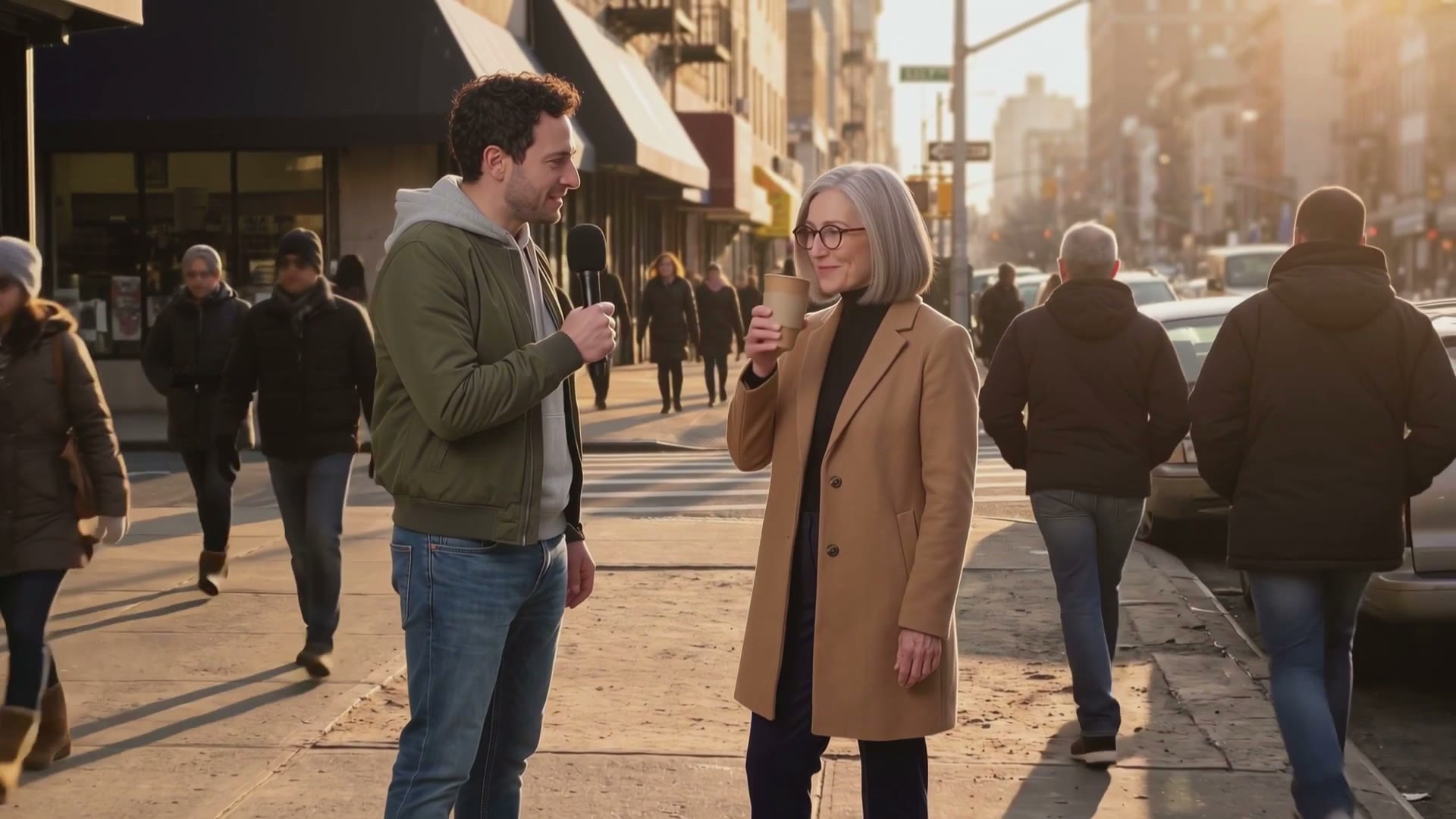
Result: both lines came out word for word with good lip sync, and both people matched their pictures. It even cut to a close-up for her answer, like a TV interview.
5. Edit video prompt: change only the background
Mode: Edit video, run on the street-interview clip
Change only the setting into a rainy city street at night with neon shop signs reflecting on the wet pavement. Keep everything else exactly the same: both people, their clothes, the microphone, the coffee cup, the dialogue and the camera movement.
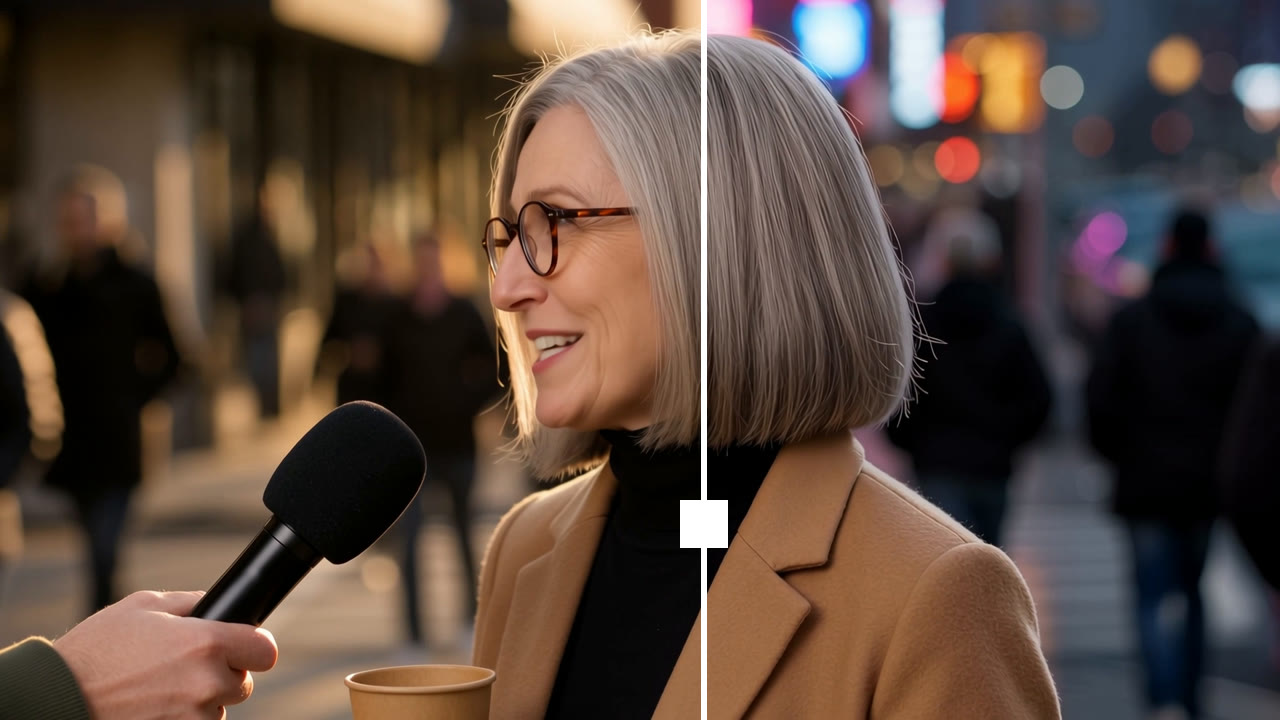
Result: the street turned wet and full of neon, while both people, their clothes and every word stayed the same. What didn't work: swapping the doorbell bears for other animals; the two tiny cubs never changed. Edit video works best when the thing you change is big and clear, and the "keep everything else exactly the same" list helps spell out what must stay.
6. Talking character prompt: yeti selfie vlog
Mode: Frames, start frame · 8 s · 9:16 · 1080p
Selfie vlog, the yeti holds the camera at arm's length on the windy snowy ridge, the frame shakes slightly with his steps. He grins into the lens and says in a warm, deep voice, "Morning from the ridge, this is Bartholomew, and today we're finally going down to meet the humans." Wind noise, crunching snow.
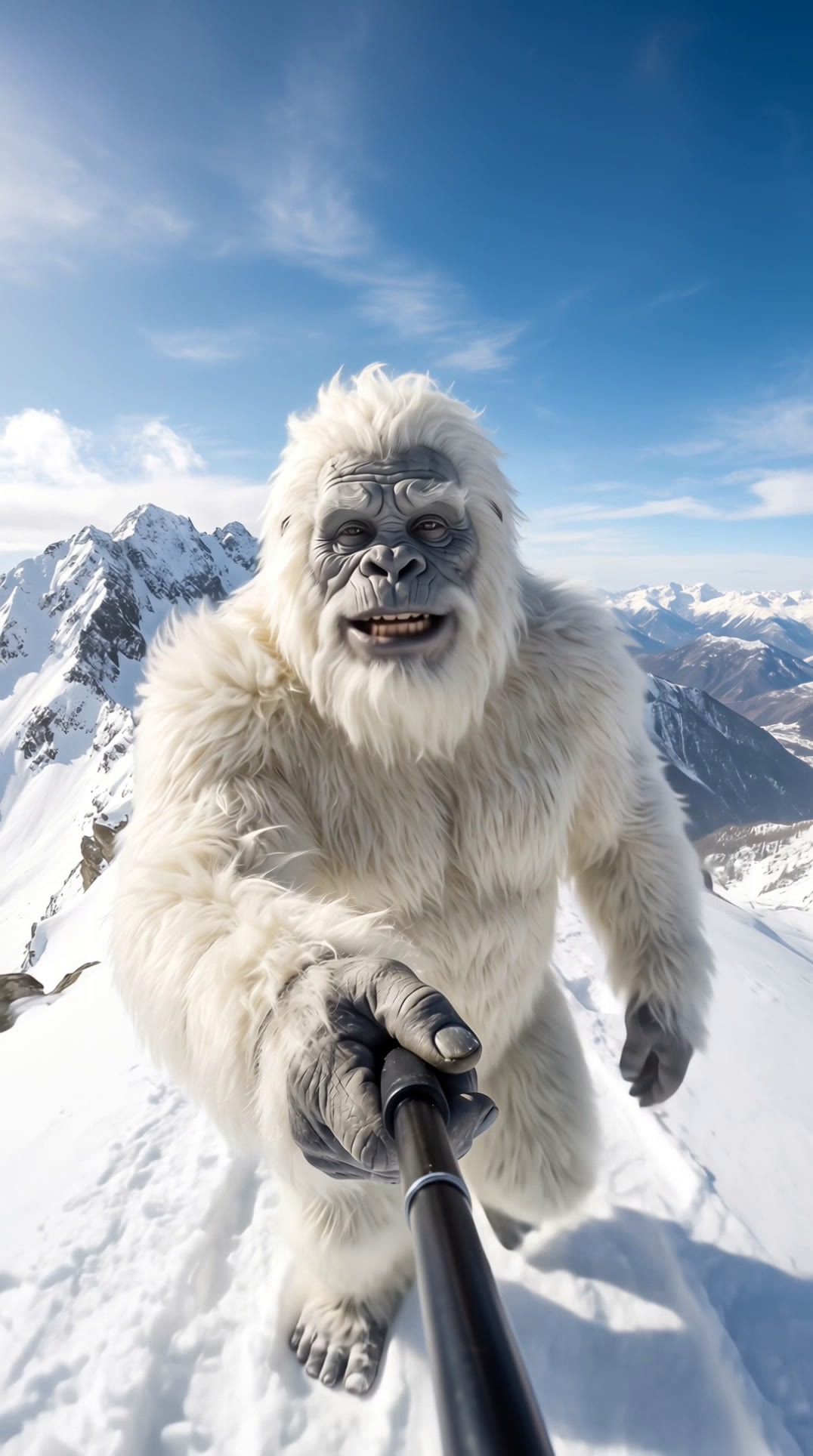
Result: every word was right, including "Bartholomew", with one small moment where his face reshapes. Slip: it took a second try. In the first, the camera on his stick faced the viewer.
7. 30-second one-take prompt: FPV drone
Mode: Frames, start frame · 30 s · 21:9 · 1080p
One continuous FPV drone shot with no cuts. The drone tips over the cliff edge and dives down beside the waterfall, punches through the falling water, levels out low over the turquoise canyon river and races along it at high speed, banking through the bends, then rises over a riverside festival at dusk with lanterns and crowds just as fireworks burst overhead. Rushing wind, roaring water, then music and fireworks.
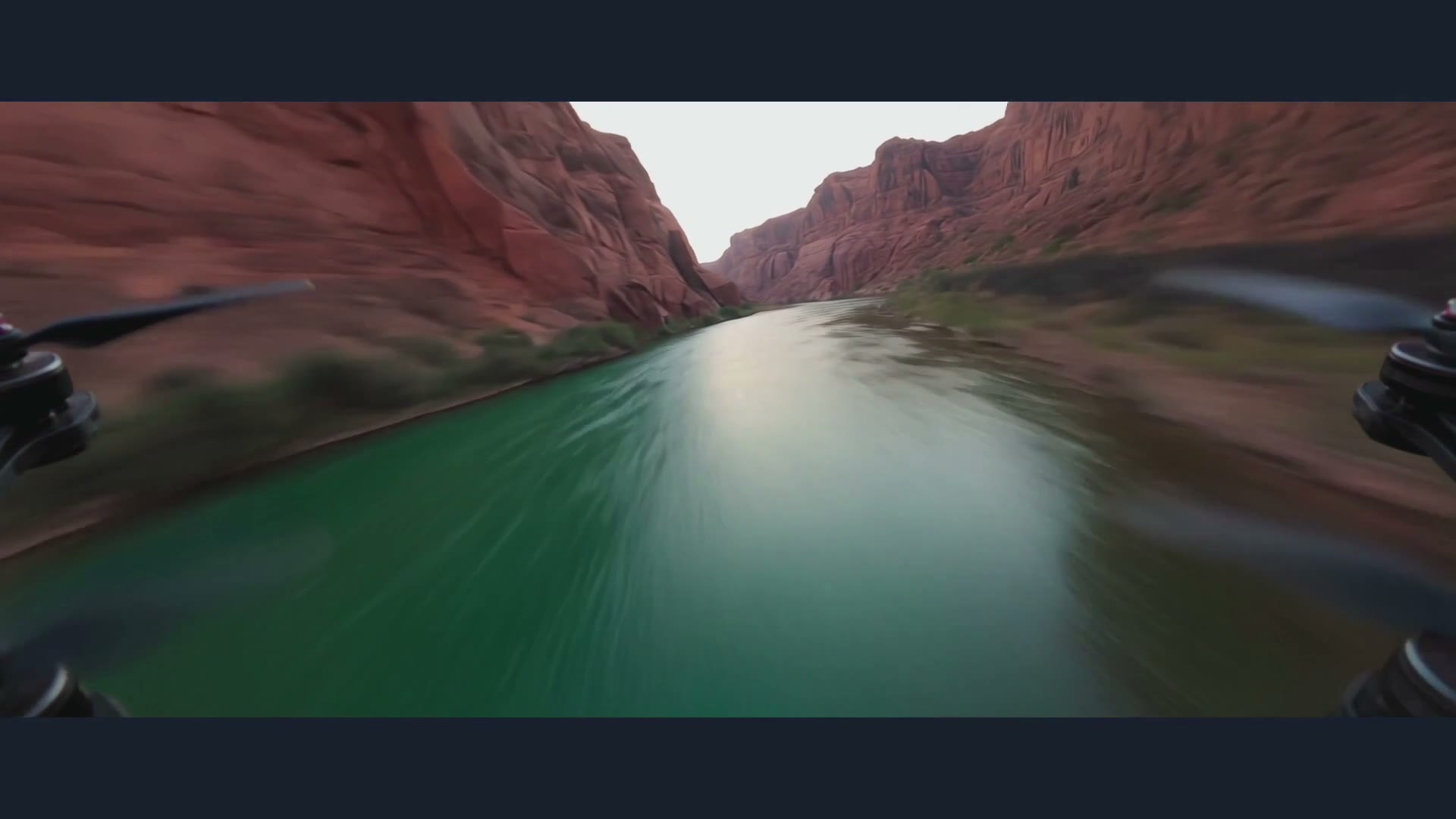
Result: no cuts, and it hit every beat from the dive and the waterfall to the fireworks at dusk. The drone's own propellers stay in frame the whole way. It took about 20 minutes to render. For a 30-second shot, the prompt lists the beats in the order they should happen.
What did these prompts cost?
At the launch price shown on the Generate button on Oct 25, 2026, an 8-second clip showed 8 credits (old price 32, crossed out) and the 30-second clip cost 30. All the tests, retries included, came to about 170 credits. Check the Generate button before you run anything, because prices change. The Kling 4.0 page on Higgsfield is where I ran them.
For how each mode works, see the Kling 4.0 tutorial. For how the same prompts did on another model, see Kling 4.0 vs Seedance 2.5. Everything I've tested is on the AI video models hub.
Prefer running video models on your own GPU? LTX-2 with Wan2GP does image-to-video locally on low-VRAM cards.
FAQ
How long can a Kling 4.0 prompt be?
Up to 8,000 tokens. All seven of my prompts were a single short paragraph.
How do you write a Kling 4.0 prompt for multiple keyframes?
Describe the stages in the same order as your keyframes, and say what must not change. My kitten-to-lion prompt named each stage in order and added "one continuous shot, locked-off camera, the room never changes", and every stage came out in order.
How do you make a character talk in Kling 4.0?
Put the exact line in quotes and describe the voice. The yeti line, including the name "Bartholomew", and both street-interview lines came out word for word.
How do you refer to reference pictures in a Kling 4.0 prompt?
Tag each picture with @, then refer to it as image 1, image 2 and so on in the prompt, as in the street-interview prompt above.
Why didn't my Kling 4.0 Edit video change anything?
In my tests it worked best when the change was big and clear (a whole street to neon night). Swapping two tiny bear cubs for other animals didn't change them at all.