Trellis 2 - 3D Asset Generation - ComfyUI One Click Installer
$4.00
✓ In Stock⭐ Get all 81+ installers for $10/month
Local Lab Pro gives you instant access to all 81+ installers and workflows we've ever made — plus every new release the moment it drops. No buying individually. One membership, everything included.
View Local Lab Pro membership →Secure checkout via Wix — or get all 81+ with Pro
// About this product
Generate high-resolution 3D mesh assets directly inside ComfyUI with the open-source Microsoft Trellis 2 3D model!
Trellis 2 is Microsoft's latest state-of-the-art 3D generation model, building on the original Trellis with major improvements in both quality and efficiency. Compared to its predecessor, Trellis 2 offers sharper object contours, more consistent texture mapping, and improved generalization across a wider variety of object types. It also handles transparency and occlusions more effectively, making it ideal for asset creators, game developers, and digital artists who want ultra-fast, high-fidelity 3D reconstruction.
My included One-Click ComfyUI Windows Installer simplifies setup by automatically downloading and configuring all required dependencies, models, and custom nodes. No manual setup or command-line work needed — just install, run, and start generating 3D assets within minutes.
GitHub Repository: PozzettiAndrea/ComfyUI-TRELLIS2
Example Workflows: GitHub workflows folder
Flash Attention 2.8.3 Windows Wheels: GitHub Releases
Runpod Cloud GPU Template: get.runpod.io/Trellis2-3D-ComfyUI
Model Details
- Model size: ~10-12 GB (model weights + dependencies)
- Average generation time: Under 2 minutes on RTX 4090; faster on enterprise GPUs
What's Included
- Portable ComfyUI Windows Installer, pre-configured to run Trellis 2 3D immediately
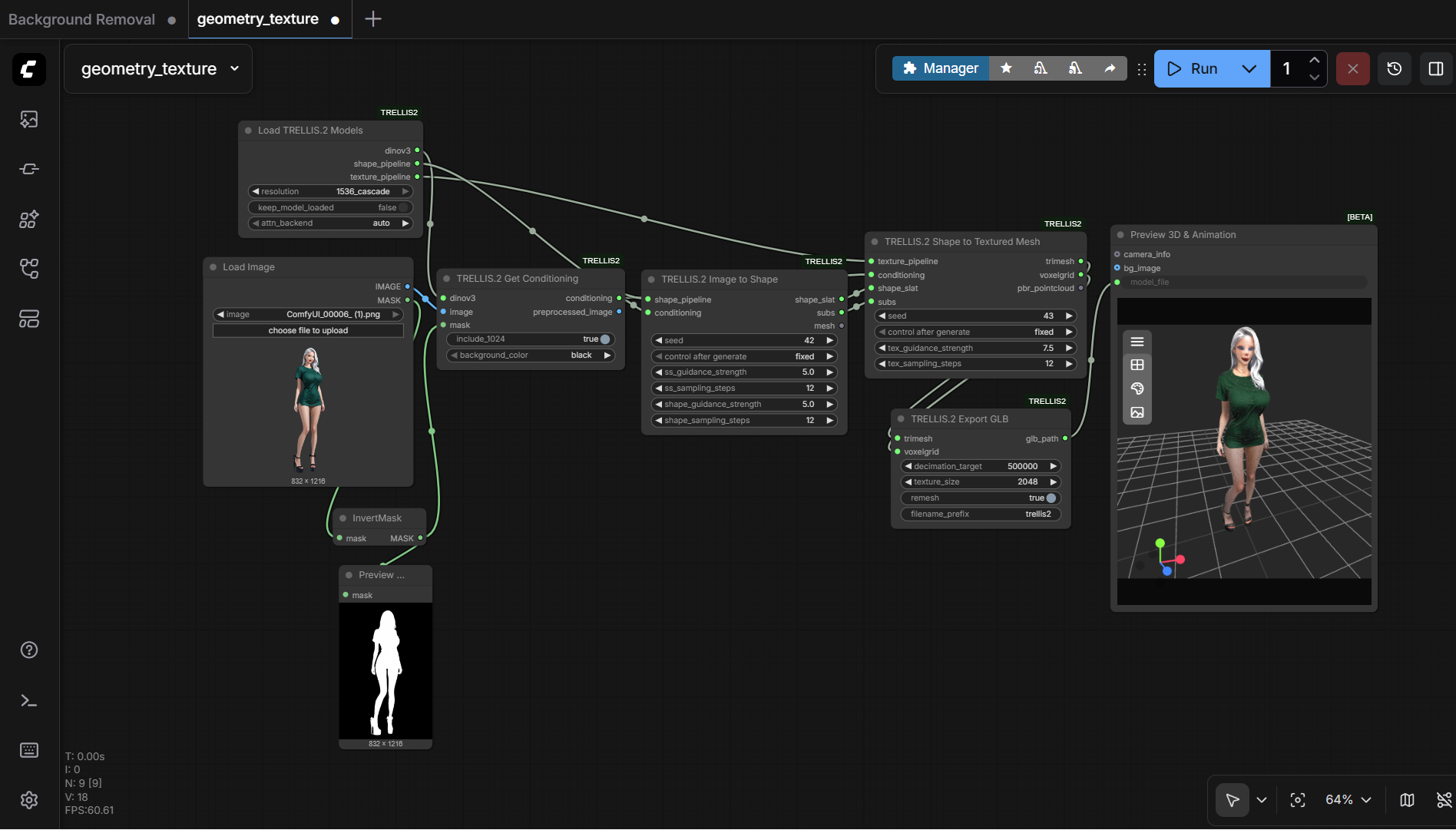
- Simple Background Removal Workflow
- Automatic downloads: all required nodes, Python dependencies, and model files
System Requirements
- GPU: Nvidia RTX 30XX, 40XX, or 50XX series (FP16 support required)
- VRAM: Minimum 16 GB, ideally 24 GB+ for stable performance
- OS: Windows 10 or 11
- Storage: At least 40 GB free space
Usage Notes
- Use ComfyUI Manager's Install missing custom nodes feature for any nodes that don't install automatically.
- To generate your own 3D assets, upload a transparent-background image of the object you want to recreate, then run the Trellis 2 workflow. A background removal workflow is included.
- If you encounter out-of-memory errors, restart the workflow and reduce the guidance strength settings.
- The ComfyUI node for Trellis 2 is still actively developed — check the GitHub repository for the latest updates and bug fixes.