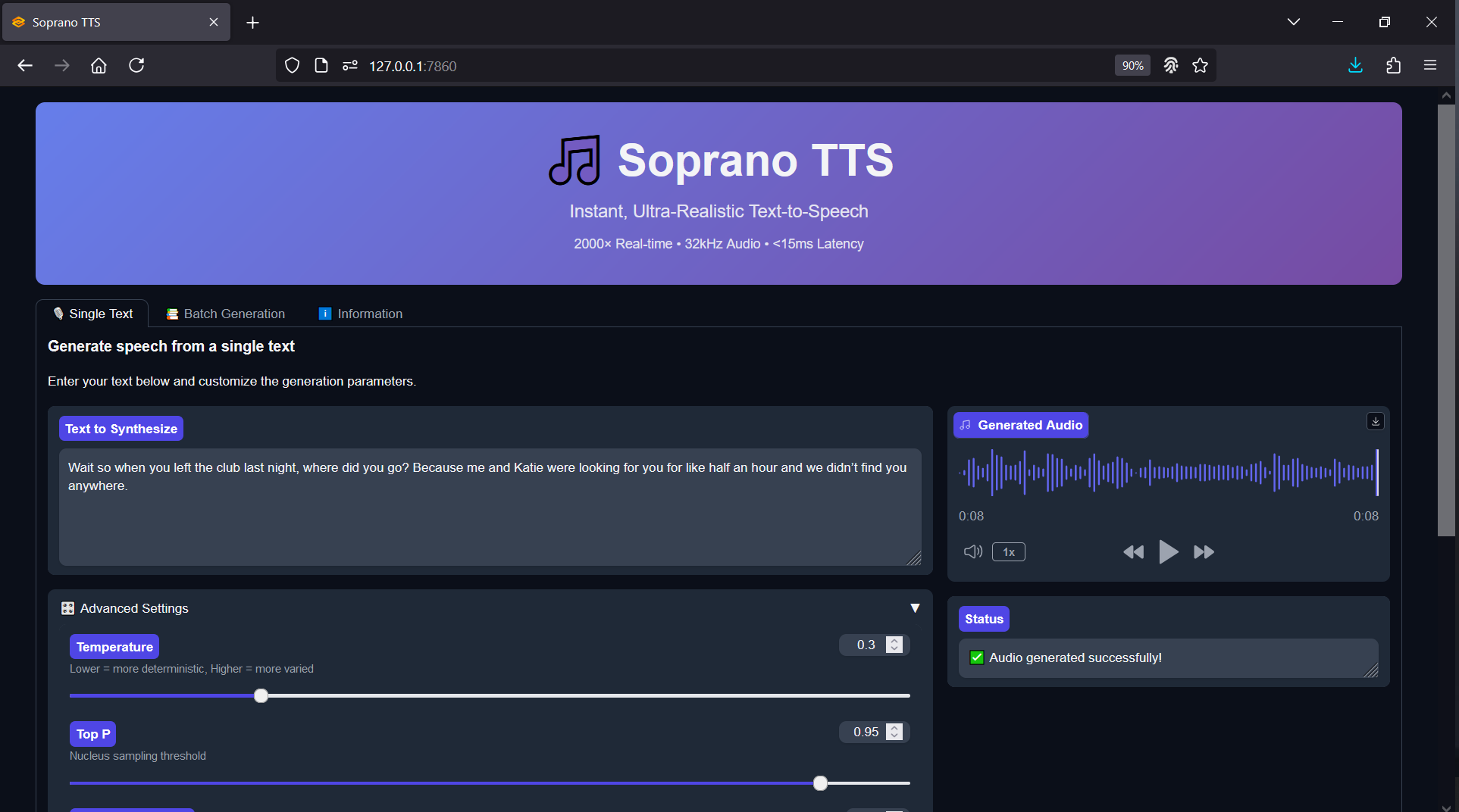
Soprano-80M Realtime TTS - One Click Windows Installer
$3.00
✓ In Stock⭐ Get all 84+ installers for $10/month
Local Lab Pro gives you instant access to all 84+ installers and workflows we've ever made — plus every new release the moment it drops. No buying individually. One membership, everything included.
View Local Lab Pro membership →Secure checkout via Wix — or get all 84+ with Pro
// About this product
The Soprano-80M model delivers impressive realism and responsiveness while remaining compact enough for consumer hardware. This small yet capable TTS engine can produce natural-sounding speech in realtime, making it perfect for quick prototyping, game development, or AI-driven creative tools.
This fork version of the public Soprano repository comes preconfigured with a Gradio interface for instant testing and an OpenAI-compatible API, making local deployment simple and developer-friendly. The goal was to make Soprano-80M accessible to anyone — no Python environment setup, no manual dependency management, and no troubleshooting required. Just launch, generate, and go.
Soprano-80M Forked GitHub Repository: https://github.com/groxaxo/soprano
Soprano-80M Hugging Face: https://huggingface.co/ekwek/Soprano-80M
FREE Model Demo: https://huggingface.co/spaces/ekwek/Soprano-TTS
What's Included
- Full automated environment setup — dependency installs, repo clones, and model downloads
- Preconfigured scripts for launching the project via Gradio UI
- Optional OpenAI-compatible API server for integration with your own apps
System Requirements
- Windows OS
- Nvidia GPU with CUDA support (RTX 30XX or newer recommended)
- VRAM: Minimum 1 GB (CPU possibly supported)
- 25 GB free disk space minimum
- Internet connection for dependency downloads and repository cloning
Installation Instructions
- Download the batch file and place it in a dedicated folder.
- Install FFmpeg if not already installed, then reboot if prompted.
- Run the batch file to begin the automated setup and installation.
- Launch the project by running start.bat to access the Gradio interface or API endpoint.