SmoothMIX WAN 2.2 Finetune - ComfyUI & One Click Installer
$3.00
✓ In Stock⭐ Get all 84+ installers for $10/month
Local Lab Pro gives you instant access to all 84+ installers and workflows we've ever made — plus every new release the moment it drops. No buying individually. One membership, everything included.
View Local Lab Pro membership →Secure checkout via Wix — or get all 84+ with Pro
// About this product
SmoothMIX WAN 2.2 Finetune introduces a refined motion and animation profile over the base WAN 2.2, delivering smoother transitions and more responsive timelines with lower latency. It emphasizes efficiency with a streamlined finetuning approach that preserves your core WAN 2.2 capabilities while sharpening motion fidelity and stability across sequences. In short, you get faster, more natural-looking motion without needing LoRA layers or complex retraining.
Preloaded Models Within the Installer (Low VRAM)
- umt5_xxl_fp8_e4m3fn_scaled.safetensors (clip folder) — Hugging Face
- wan_2.1_vae.safetensors (vae folder) — Hugging Face
- smoothMixWan22I2VT2V_i2vHigh-Q4_K_M.gguf (unet folder) — Hugging Face
- smoothMixWan22I2VT2V_i2vLow-Q4_K_M.gguf (unet folder) — Hugging Face
- clip_vision_h.safetensors (clip_vision folder) — Hugging Face
- 2xLexicaRRDBNet_Sharp.pth upscale model — Hugging Face
Note: The standard high-fidelity SmoothMIX Wan2.2 diffusion models (FP16 and FP8) are not included in the installer for size reasons. For best results, download them separately from the CivitAI model page.
Speed
Generate 5-second 480p videos (6 steps) in less than a minute on an RTX 4090 24 GB VRAM GPU. The workflow dynamically adapts — faster render times and higher resolutions (720p/24fps) are achievable on higher-end GPUs.
System Requirements
- Nvidia RTX 30XX, 40XX, or 50XX series GPU (FP16 support required; GTX 10XX/20XX not tested)
- CUDA-compatible GPU (minimum 6 GB VRAM; more recommended)
- Windows OS
- At least 40 GB free storage
What's Included
- Portable, pre-configured ComfyUI and SmoothMix Wan2.2 install
- Automated download of all custom nodes and required models
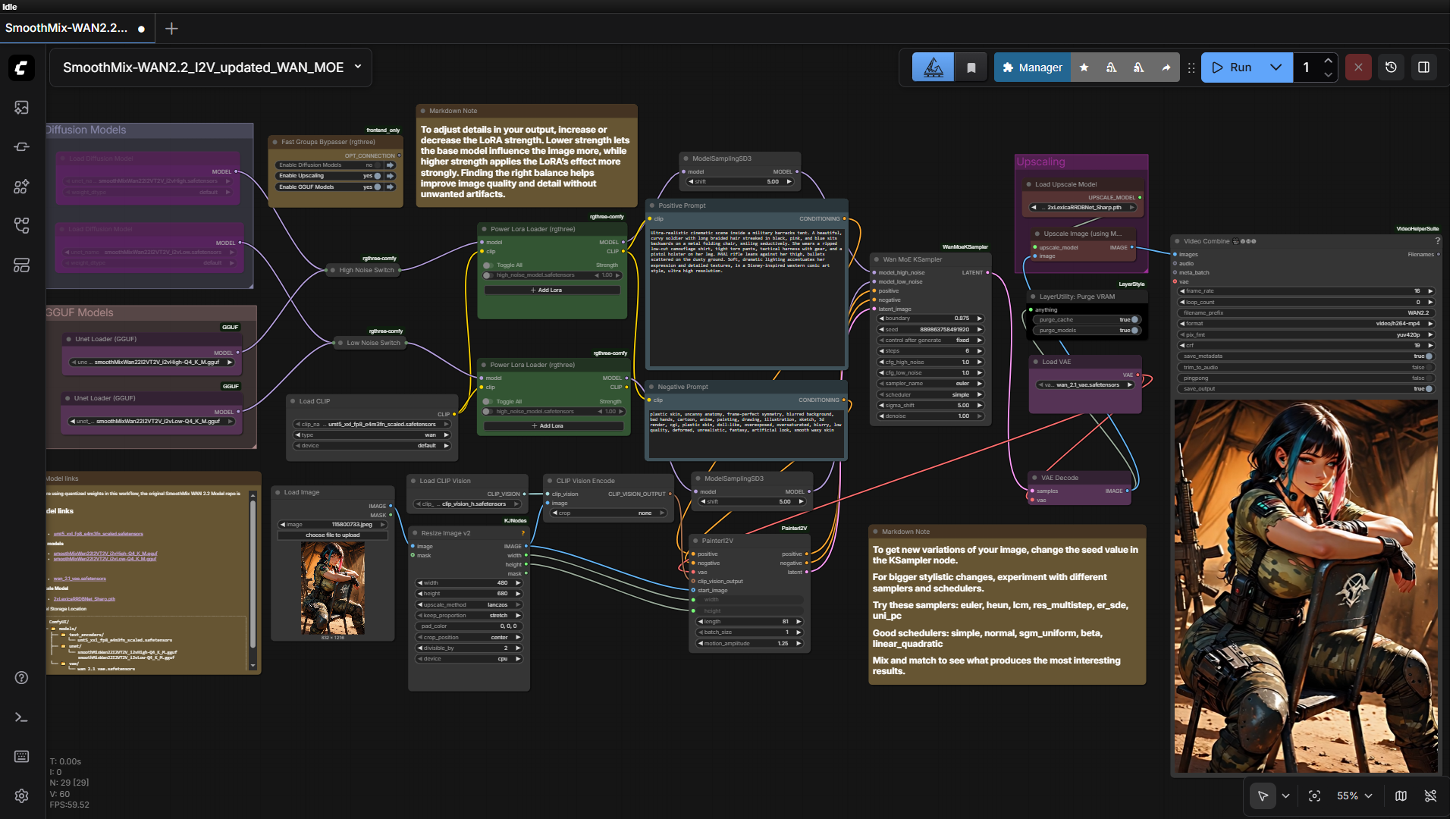
- Workflow designed for simplicity and speed with modular Fast Groups Bypasser
Usage Notes
- You can utilize either the SmoothMix Wan2.2 GGUF models or the standard SmoothMix Wan2.2 diffusion models.
- Enable or disable workflow sections using the levers in the Fast Groups Bypasser node on the left side of the workflow.
- Enter your detailed descriptive text prompt for the scene you want to generate.
- For best results, enhance your prompt with an LLM.