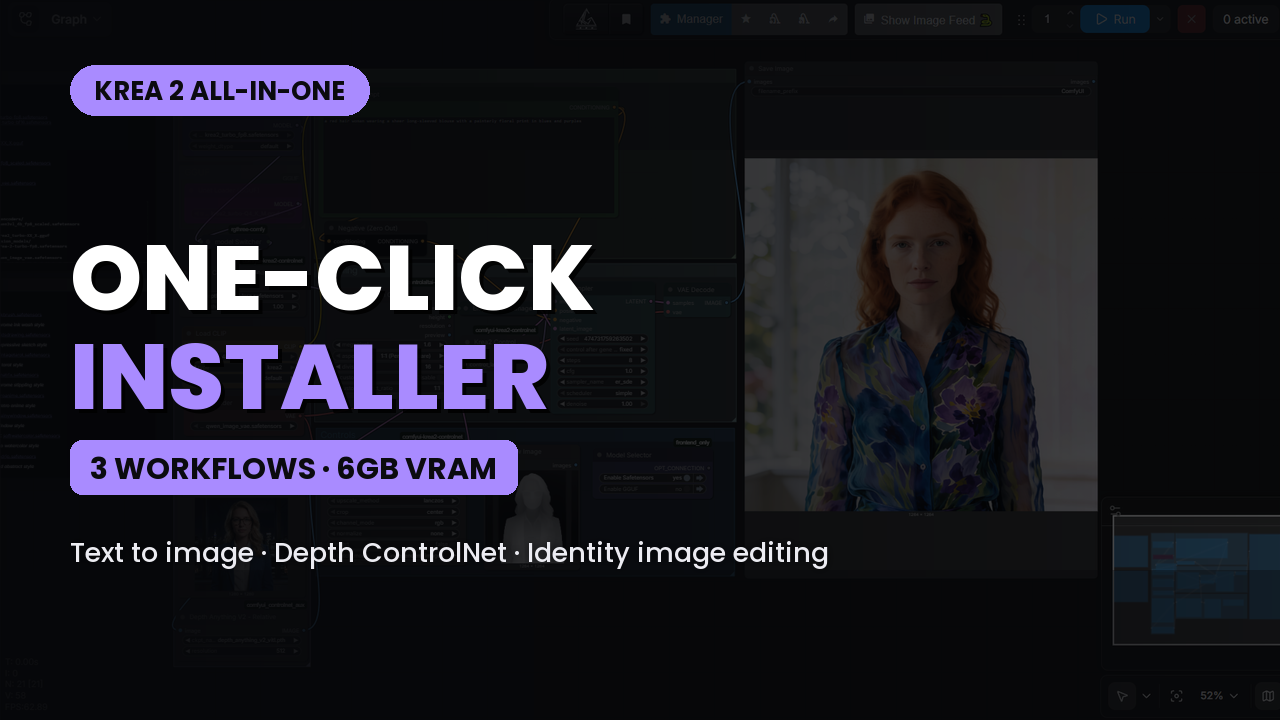
Krea 2 All In One ComfyUI One Click Windows Installer (6 GB VRAM)
$4.00
✓ In Stock⭐ Get all 84+ installers for $10/month
Local Lab Pro gives you instant access to all 84+ installers and workflows we've ever made — plus every new release the moment it drops. No buying individually. One membership, everything included.
View Local Lab Pro membership →Secure checkout via Wix — or get all 84+ with Pro
// About this product
Krea 2 all in one ComfyUI one click Windows installer — a single setup that installs ComfyUI, every custom node, and every model needed to run Krea 2 Turbo text to image, Krea 2 depth Controlnet, and Krea 2 identity image editing on as little as 6 GB of VRAM. No manual model hunting, no folder placement, no node errors on first launch.
Krea 2 is one of the strongest open weight image models to land for local AI image generation, but getting all three of its major workflows running in ComfyUI normally means three separate setups: two different custom node packs, a text encoder that isn't CLIP, a VAE borrowed from Qwen, and multiple LoRAs that each expect their own nodes. This installer collapses all of that into one double click. It pulls down the Krea 2 Turbo model in GGUF , the Qwen3-VL text encoder, the Qwen Image VAE, and both control LoRAs, then installs the custom nodes each workflow depends on and drops every file in the correct ComfyUI directory for you.
All three ComfyUI workflows are attached to this post and are also available free on my Patreon if you want the full breakdown on how each one works. The links are below, and I'd recommend reading through them since each post covers the settings and quirks specific to that workflow.
What's Included in This Krea 2 ComfyUI Installer
-
Krea 2 Turbo Text to Image — the 8 step distilled Krea 2 checkpoint for fast, high quality local image generation from a plain text prompt, with strong prompt adherence and a wide stylistic range from photoreal to anime.
-
Krea 2 Image to Image Depth Controlnet LoRA — a depth guided control LoRA that extracts a depth map from your input image and generates a brand new image that keeps the exact same 3D structure, composition, and camera perspective while your prompt completely changes the style, subject, and details.
-
Krea 2 Identity Image Edit LoRA — an instruction based, identity preserving image edit LoRA that lets you type a plain language edit ("place this person at a night market") and get back the same face, the same outfit, and the same distinguishing marks, fully relit into the new scene, with everything you didn't ask to change left intact.
Free Krea 2 ComfyUI Workflows
-
KREA 2 Turbo Text to Image ComfyUI Workflow - https://www.patreon.com/TheLocalLab/posts/free-krea-2-text-161915897
-
Krea 2 Image to Image Depth Controlnet LoRA ComfyUI Workflow - https://www.patreon.com/TheLocalLab/posts/free-krea-2-to-163084570
-
Krea 2 Identity Image Edit LoRA ComfyUI Workflow - https://www.patreon.com/TheLocalLab/posts/free-krea-2-edit-163842464
Preloaded Models Within the Installer (Low VRAM)
Every model below is downloaded automatically and placed in the correct folder by the installer. The paths are listed for anyone setting up manually.
-
Krea 2 Turbo GGUF (place in ComfyUI/models/unet/) – Hugging Face Link
-
Krea 2 Turbo FP8 (NOT INCLUDED IN INSTALLER - place in ComfyUI/models/diffusion_models/) – Hugging Face Link
-
qwen3vl_4b_fp8_scaled.safetensors (place in ComfyUI/models/text_encoders/) – Hugging Face Link
-
qwen_image_vae.safetensors (place in ComfyUI/models/vae/) – Hugging Face Link
-
depth-control-lora.safetensors (place in ComfyUI/models/loras/) - Hugging Face Link
-
krea2_identity_edit_v1_1.safetensors (place in ComfyUI/models/loras/) - Hugging Face Link
Custom Nodes w/ commands needed for Portable Windows package
All custom nodes required by the three workflows are installed automatically by the installer, including the node packs that the depth Controlnet and identity edit LoRAs depend on. Nothing here needs to be cloned by hand.
-
ComfyUI Manager - https://github.com/ltdrdata/ComfyUI-Manager
Command to install requirements:
.\python_embeded\python.exe -m pip install -r .\ComfyUI\custom_nodes\ComfyUI-Manager\requirements.txt
Use the ComfyUI Manager's Install missing custom nodes feature to install any additional nodes that may not work initially after installation.
Usage Notes
-
Place the install .bat file in its own separate directory dedicated to this project, then double click it to start the installation.
-
Load the provided workflow into ComfyUI.
-
Verify all model checkpoints are mapped correctly in your Loader nodes.
-
Krea 2 Turbo runs at 8 steps with CFG at or near 1.0. It does not behave like Stable Diffusion or Flux — high CFG values will degrade your output rather than improve it.
-
Krea 2 responds best to detailed, natural language prompts. Long descriptive sentences outperform short comma separated tag lists.
-
On the depth Controlnet workflow, use photos or renders with real perspective. Flat 2D illustrations produce a nearly uniform depth map, so the structural control will barely register.
-
On the identity edit workflow, match your output aspect ratio to your source image. A mismatch degrades preservation and can apply the edit to only part of the frame.
-
If you're on the low end of the VRAM range, run the GGUF model and generate around 1 MP, then upscale. Pushing resolution is the fastest way to run out of VRAM on an 6-8 GB card.
System Requirements
-
NVIDIA RTX 30XX / 40XX / 50XX GPU (FP8 supported)
-
CUDA-compatible GPU (minimum 6 GB VRAM)
-
At least 20 GB free storage
More Krea 2 One Click Installers
I've also created a One-Click Windows installer for the Stable Diffusion Forge Neo Krea 2 Text-to-Image setup, available to my Patreon members:
Stable Diffusion Forge Neo Patreon - https://www.patreon.com/TheLocalLab/posts/krea-2-image-in-162660487
But you can also purchase the installer individually here:
Stable Diffusion Forge Neo - https://www.locallabdigest.com/product-page/krea-2-image-model-in-stable-forge-ui-neo-6-gb-vram-one-click-installer
Youtube Tutorial - Krea 2 AI Image Model in Stable Diffusion Forge Neo Tutorial (ComfyUI Alternative) - https://youtu.be/o5xpagC6Bkc