Joy Caption Beta One - AI Image Captioning - One Click Installer
$4.00
✓ In Stock⭐ Get all 84+ installers for $10/month
Local Lab Pro gives you instant access to all 84+ installers and workflows we've ever made — plus every new release the moment it drops. No buying individually. One membership, everything included.
View Local Lab Pro membership →Secure checkout via Wix — or get all 84+ with Pro
// About this product
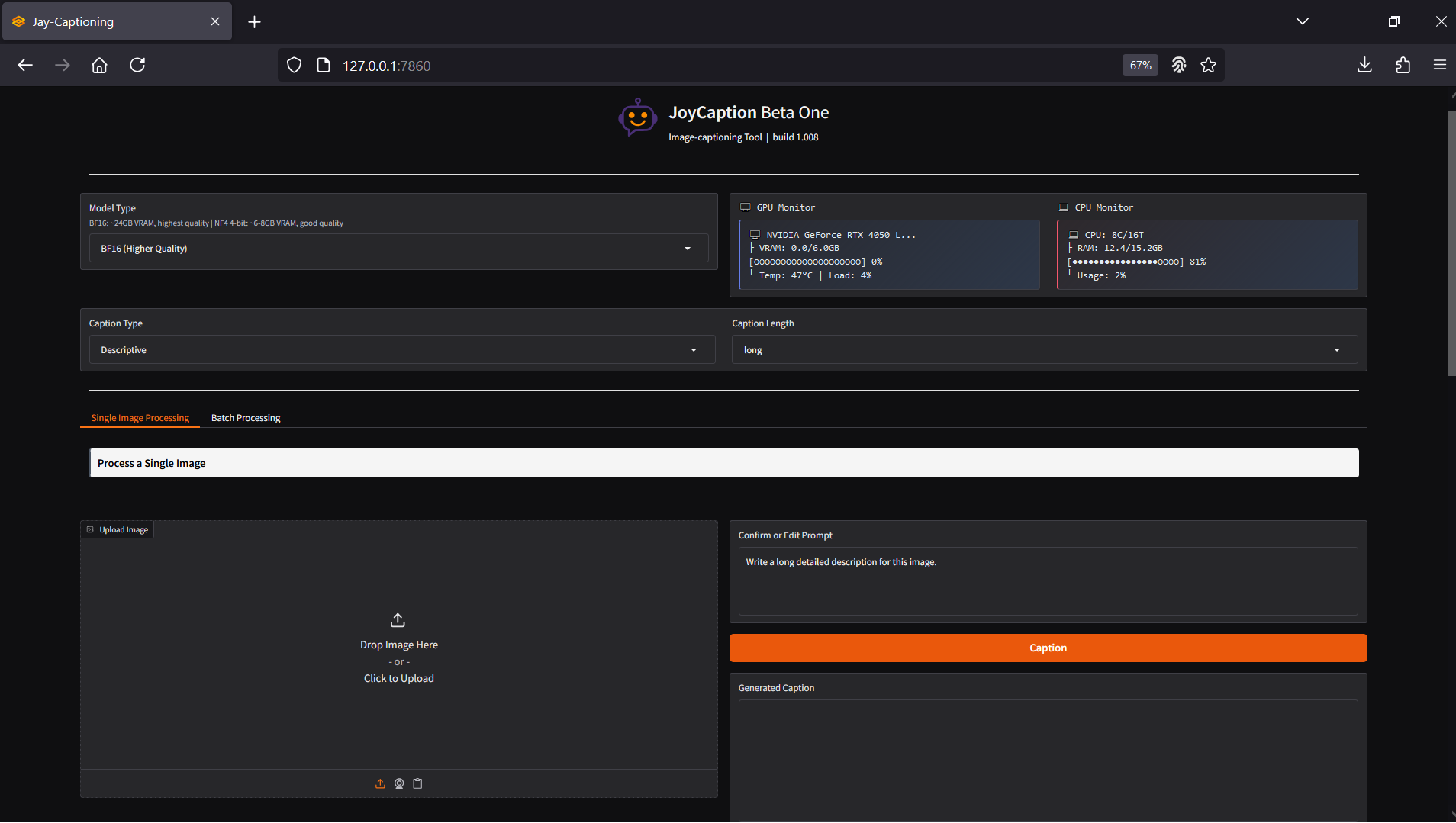
Joy Caption Beta One is a powerful AI-based image captioning tool designed to make dataset creation simple and efficient. It leverages advanced machine learning models to automatically generate precise and descriptive captions for your images — perfect for researchers, AI enthusiasts, and developers who need high-quality labeled datasets.
This one-click Windows installer streamlines the entire setup process, allowing you to install and run Joy Caption Beta One locally in just minutes. The installer automatically configures all required dependencies, so you can start generating captions right away without dealing with complex setups.
Model Configurations
- BF16 precision model for users with high-end GPUs (12 GB+ VRAM) — maximum accuracy and performance.
- NF4 4-bit model for those running on low VRAM cards (tested on 6 GB GPUs) — a lightweight but capable alternative.
The included project — Jay_Caption_Beta_One_Batch_WebUI — enables an intuitive batch captioning workflow through a simple web user interface, allowing you to caption multiple images effortlessly.
Included in the Package
The automated installer sets up everything required to run Joy Caption locally, including:
- Miniconda with Python 3.11
- PyTorch 2.8.0 + CUDA 12.8 support
System Requirements
- Windows OS
- NVIDIA GPU with CUDA support (RTX 30XX or later recommended)
- Minimum VRAM: 6 GB (more VRAM offers faster image processing)
- Free Disk Space: 30 GB minimum
- Active Internet connection for dependencies and repository cloning
Usage Notes
- Choose your model: Use BF16 if you have over 12 GB VRAM; use NF4 4-bit if you're on a lower VRAM GPU.
- Upload a single image or an entire batch.
- Describe how you want the model to caption your images (tone, detail level, style).
- Explore extra option features that come preloaded with Joy Caption to enhance control and output quality.
- Adjust model parameters such as temperature, top-p, and max new tokens in the general settings to fine-tune caption creativity and precision.