Flux 2 Klein 9B & 4B - ComfyUI & One Click Windows Installer
$4.00
✓ In Stock⭐ Get all 84+ installers for $10/month
Local Lab Pro gives you instant access to all 84+ installers and workflows we've ever made — plus every new release the moment it drops. No buying individually. One membership, everything included.
View Local Lab Pro membership →Secure checkout via Wix — or get all 84+ with Pro
// About this product
The Flux 2 Klein 9B and 4B models by Black Forest Labs are next-generation diffusion models built for high-quality, efficient AI image generation. Designed with creative control and performance in mind, these models balance realism, speed, and flexibility. The Flux 2 Klein 9B delivers exceptional detail and enhanced image-editing capabilities, while the 4B model offers a lighter, faster alternative ideal for systems with tighter VRAM limits.
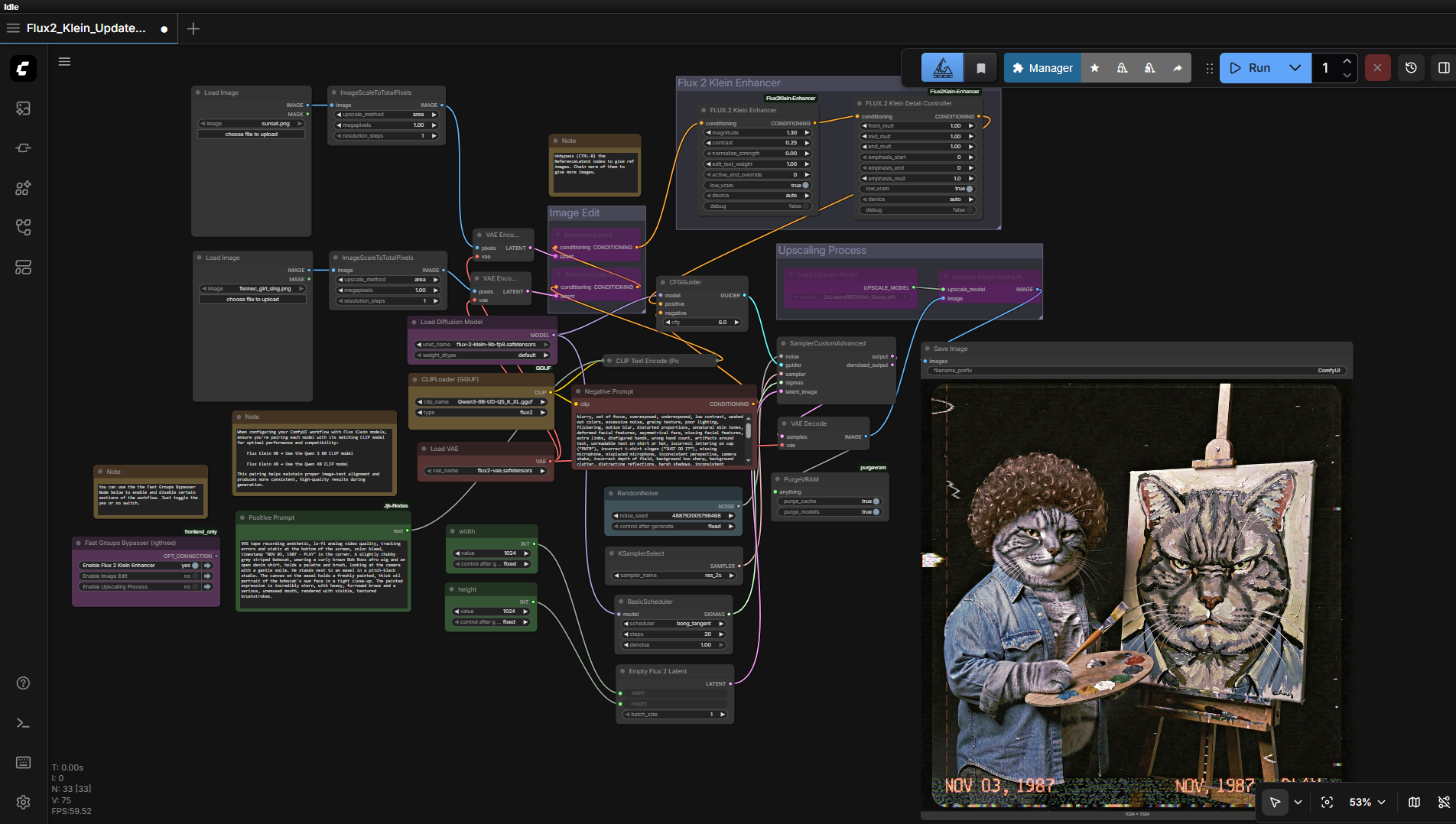
This post provides a ready-to-use ComfyUI workflow and a one-click installer that automatically prepares your local environment — even if you're working with as little as 6 GB of VRAM for text-to-image and image-to-image.
Included in the Package
The automated installer sets up everything required, including:
- Triton for Windows
- PyTorch: 2.8.0+cu128
- ComfyUI Windows Portable
Preloaded Models
- flux-2-klein-4b-fp8.safetensors diffusion model — Hugging Face
- Qwen3-8B-UD-Q5_K_XL.gguf CLIP model (use only with the 9B model) — Hugging Face
- Qwen3-4B-UD-Q5_K_XL.gguf CLIP model (use only with the 4B model) — Hugging Face
- flux2-vae.safetensors VAE model — Hugging Face
- 2xLexicaRRDBNet_Sharp.pth upscale model — Hugging Face
Flux 2 Klein 9B FP8 model (recommended): Hugging Face
Model Recommendation
For best results, use the Flux 2 Klein 9B model instead of the 4B version. The 9B provides noticeably higher image fidelity, supports more advanced image editing workflows, and maintains more consistent lighting and texture realism. Make sure to accept the model license agreement at: Hugging Face.
Speed
Generate 1024 x 1024 px images in approximately 30 seconds (20 steps), tested on RTX 4090 (24 GB VRAM) using FP8-weighted models. This makes the Flux 2 Klein lineup one of the fastest local generation pipelines currently available for ComfyUI.
System Requirements
- GPU: Nvidia RTX 4090 / 5090 series or higher
- Minimum VRAM: 6 GB (more recommended for 9B model)
- Operating System: Windows
- Storage: At least 40 GB free space
Usage Notes
- Load the provided workflow in ComfyUI and ensure all checkpoints are properly assigned in your Loaders.
- Optionally upload an image to the Load Image nodes for image-to-image testing, or mute them for pure text prompting.
- Set sampler steps — typically 20-30 for balanced speed and detail.
- Adjust resolution and aspect ratio carefully to avoid VRAM overloads above 1024 x 1024.
- Use the Purge VRAM node between heavy runs or large batch generations to clear memory and prevent crashes.