Flux 2 Dev - Text & Image to Image - ComfyUI One Click Installer
$4.00
✓ In Stock⭐ Get all 84+ installers for $10/month
Local Lab Pro gives you instant access to all 84+ installers and workflows we've ever made — plus every new release the moment it drops. No buying individually. One membership, everything included.
View Local Lab Pro membership →Secure checkout via Wix — or get all 84+ with Pro
// About this product
New Flux 2 text-to-image and image-to-image models are now live in ComfyUI. This post gives you everything needed to get started fast, including a free basic workflow, an enhanced Patreon-only workflow, and a one-click Windows installer tailored for RTX 4090/24 GB or higher users.
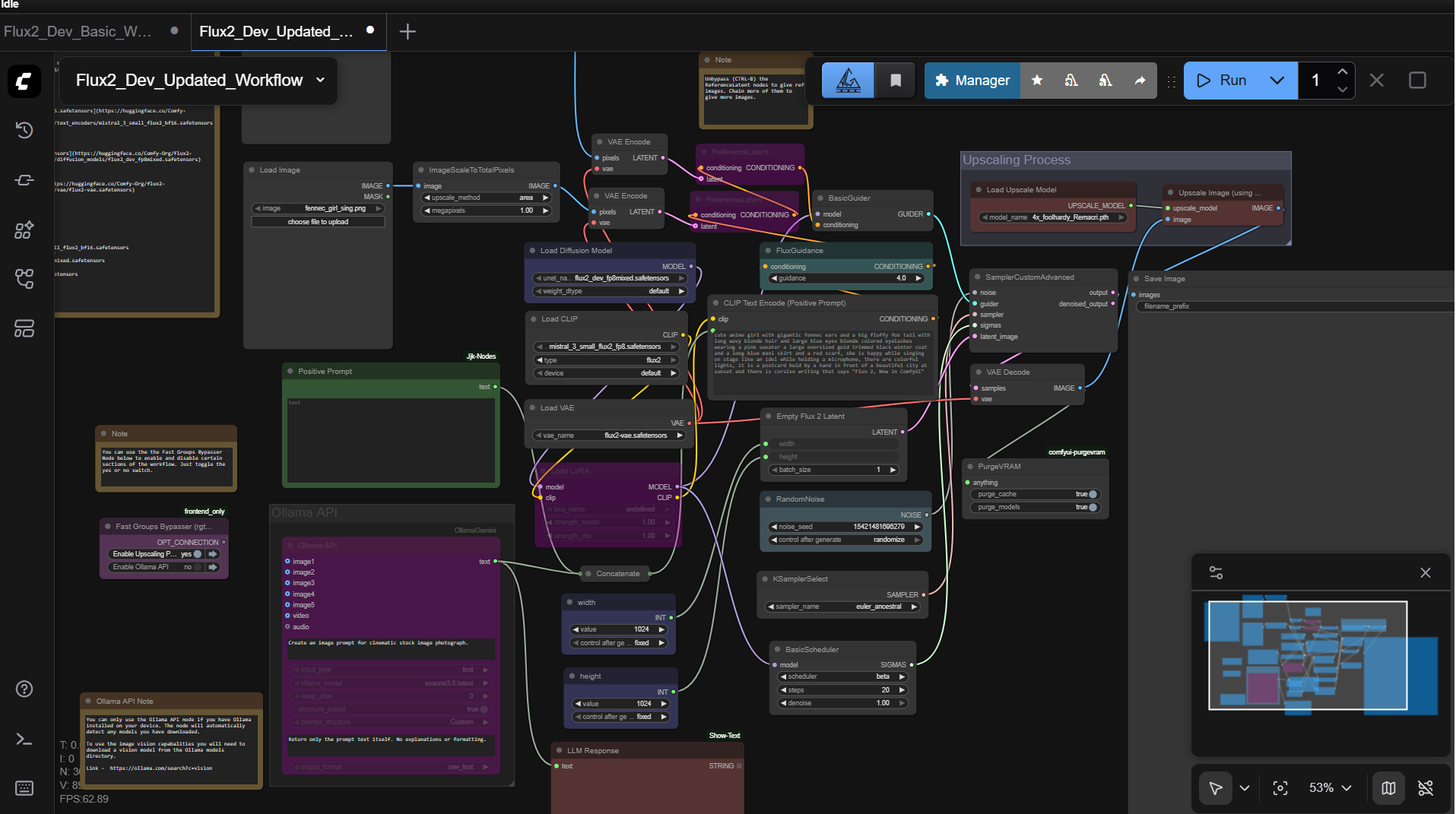
The Patreon-only workflow includes additional nodes: an Ollama API node for automatic prompt creation, upscaling nodes, a LoRA model loader, and VRAM management with a purge VRAM node. The Flux 2 scheduler is replaced with the basic scheduler for more options and more predictable behavior.
The installer sets up an isolated Miniconda Python environment preconfigured with Sage Attention, Flash Attention 2, Triton, PyTorch 2.8.0+cu128, and CUDA 12.8.
GitHub Repository: https://github.com/comfyanonymous/ComfyUI
Flux 2 ComfyUI Examples: comfyanonymous.github.io/ComfyUI_examples/flux2
Free Flux 2 Dev workflow: CivitAI
Cloud GPU RunPod Template: get.runpod.io/Flux2-Dev-ComyUI-Template
Included in the Package
The installer automatically sets up: Sage, Flash Attention 2, Triton for Windows, PyTorch 2.8.0+cu128.
Preloaded Models
- flux2_dev_fp8mixed.safetensors diffusion model — Hugging Face
- mistral_3_small_flux2_fp8.safetensors text encoder — Hugging Face
- flux2-vae.safetensors VAE model — Hugging Face
- 2xLexicaRRDBNet_Sharp.pth upscale model — Hugging Face
Speed
Generate 1024 x 1024 images in roughly 1-2 minutes (20 steps) on an RTX 4090 24 GB VRAM GPU using the FP8 model.
System Requirements
- Nvidia RTX 4090, 5090 series GPU or better
- CUDA-compatible GPU with a minimum of 24 GB VRAM
- Windows OS
- At least 50 GB free storage
Usage Notes
- Load the workflow and ensure your checkpoints are selected in the Loaders.
- Upload images to the Load Image nodes to test image-to-image capabilities, or mute them for standard text prompting.
- Set your sampler steps (20-30 steps for quick tests, more for extra detail).
- Adjust resolution and aspect ratio carefully to avoid VRAM errors above 1024 x 1024.
- Use the purge VRAM node between heavy generations if you run into memory issues.
- For Ollama prompt generation, enter a short concept and let the node expand it into a detailed Flux 2-friendly prompt before queueing.