Ace Step 1.5 - AI Music Generator - ComfyUI One Click Installer
$3.00
✓ In Stock⭐ Get all 84+ installers for $10/month
Local Lab Pro gives you instant access to all 84+ installers and workflows we've ever made — plus every new release the moment it drops. No buying individually. One membership, everything included.
View Local Lab Pro membership →Secure checkout via Wix — or get all 84+ with Pro
// About this product
The Ace Step team has dropped another groundbreaking update — Ace Step 1.5, a powerful leap forward in local AI music generation. This release brings creators one step closer to replicating the quality and flexibility of platforms like Suno and Udio, but entirely on your own machine. No cloud dependencies, no subscriptions — just high-quality, rapid music production using ComfyUI and your GPU.
Ace Step 1.5 is fully compatible with ComfyUI, offering a local Suno/Udio-style music generation workflow with smooth integration and blazing speed. Built for accessibility, it streamlines your creative process, making AI-powered song creation achievable even on lower-VRAM machines.
One-Click Installer and Workflow Overview
The Ace Step 1.5 One-Click Installer simplifies the entire setup process. With a single run, it configures all necessary components and places models where they belong. Simply input musical prompts or custom lyrics, and Ace Step 1.5 handles the rest, producing full-length tracks locally with near-instant sampling speeds.
Included in the Package
The automated installer sets up everything required to run models through ComfyUI, including:
- PyTorch: 2.8.0+cu128
- ComfyUI Windows Portable
- ace_step_1.5_turbo_aio.safetensors checkpoint model — Hugging Face
Speed
Generate 3-minute songs in around 30 seconds (12 steps) — tested on RTX 4050 (6 GB VRAM). Ace Step 1.5 delivers one of the fastest local ComfyUI pipelines for AI-generated music to date.
System Requirements
- GPU: Nvidia RTX 4090 / 5090 series or higher
- Minimum VRAM: 6 GB (4 GB may work, but untested)
- Operating System: Windows
- Storage: At least 30 GB free space
Usage Notes
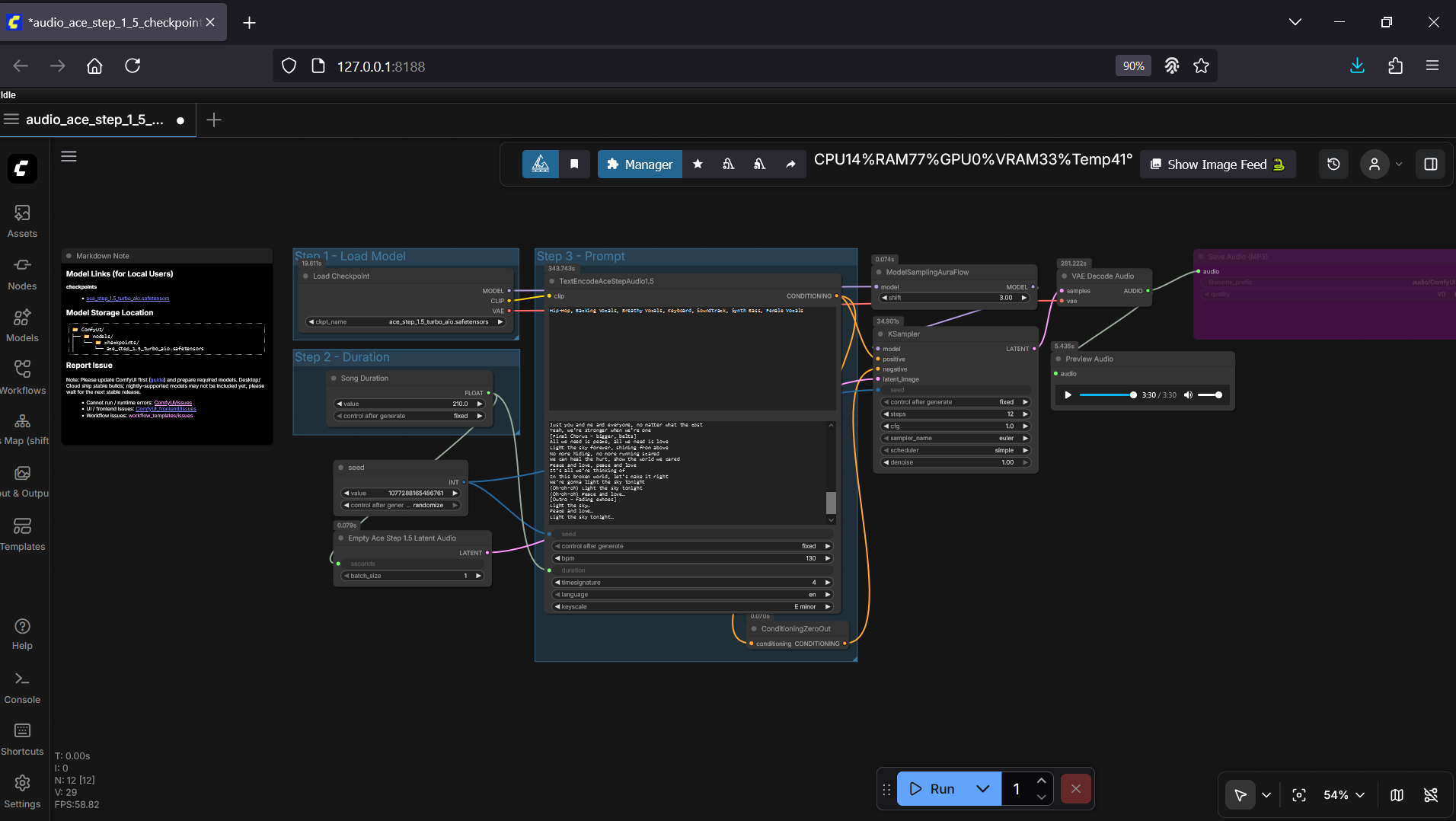
- Load the provided workflow in ComfyUI and ensure all checkpoints are properly assigned in your Loaders.
- Type your desired musical styles in the TextEncodeAceStepAudio1.5 node (top field).
- Optionally add your lyrics in the TextEncodeAceStepAudio1.5 node (bottom field).
- Click Generate and let Ace Step 1.5 compose your track!