SmoothMIX WAN 2.2 Finetune
SmoothMIX is a WAN 2.2 finetune for smoother, more responsive image-to-video with lower latency — no LoRA layers or retraining needed. 5-second 480p clips in under a minute on an RTX 4090.
✓ 100% free — download the workflow and run it locally.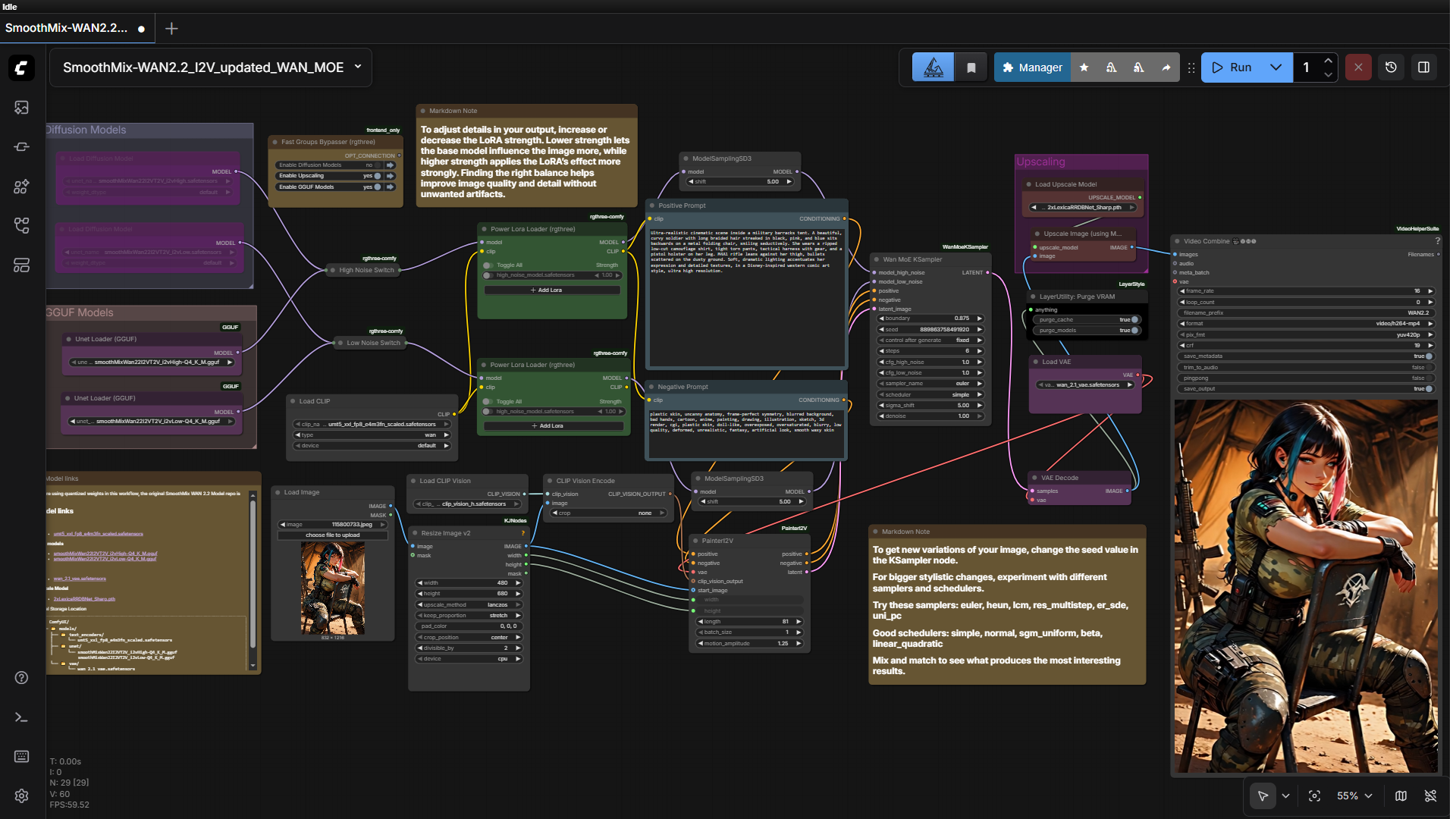
Preview
Requirements
- GPU: RTX 4090 24GB (for 480p / 6 steps)
- OS: Windows
- Storage: substantial (multiple model files)
Model downloads
- umt5_xxl fp8 text encoder https://huggingface.co/Comfy-Org/Wan_2.1_ComfyUI_repackaged/tree/main/split_files/text_encoders
- wan_2.1_vae https://huggingface.co/Comfy-Org/Wan_2.1_ComfyUI_repackaged/tree/main
- SmoothMix High-Noise (Q4_K_M GGUF) https://huggingface.co/Bedovyy/smoothMixWan22-I2V-GGUF/tree/main/HighNoise
- SmoothMix Low-Noise (Q4_K_M GGUF) https://huggingface.co/Bedovyy/smoothMixWan22-I2V-GGUF/tree/main/LowNoise
- clip_vision_h https://huggingface.co/Comfy-Org/Wan_2.1_ComfyUI_repackaged/tree/main/split_files/clip_vision
- 2xLexicaRRDBNet_Sharp (upscaler) https://huggingface.co/Thelocallab/2xLexicaRRDBNet_Sharp/blob/main/2xLexicaRRDBNet_Sharp.pth
- SmoothMIX diffusion models (FP16/FP8) https://civitai.com/models/1995784?modelVersionId=2259006
Custom nodes
- ComfyUI Manager https://github.com/ltdrdata/ComfyUI-Manager
Setup steps
- Install ComfyUI Manager + requirements.
- Download all models to their folders.
- Load the workflow below into ComfyUI.
- Toggle sections with the Fast Groups Bypasser.
- Enter a detailed prompt (LLM enhancement recommended) and run.
Notes & tips
- GGUF and standard diffusion both work; higher-end GPUs do 720p/24fps.
- Prefer one-click? A SmoothMix installer is available.
Want the 1-click version?
Skip the manual model downloads and node installs — get a ready-to-run installer, or unlock all 75+ with Local Lab Pro.