Krea 2 Image-to-Image Depth ControlNet LoRA
Guided image-to-image generation with Krea 2's depth-conditioned model — preserve the 3D structure, composition and perspective of an input image while transforming its style and subject via your prompt. Great for concept redesigns and controlled AI art with consistent structure.
✓ 100% free — download the workflow and run it locally.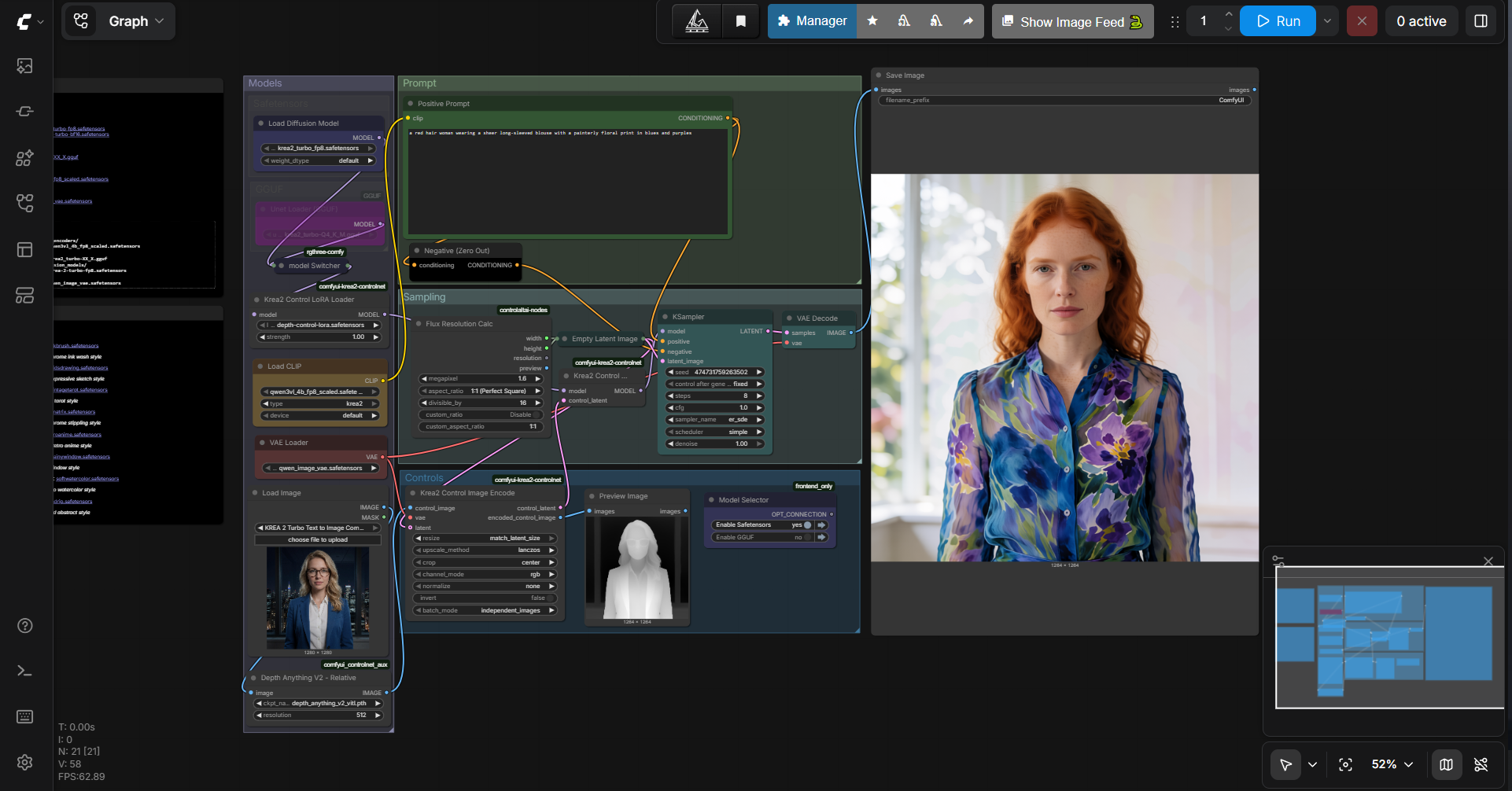
Requirements
- GPU: NVIDIA RTX 30XX / 40XX / 50XX (FP8 supported)
- VRAM: 8 GB minimum (CUDA)
- OS: Windows (portable package available)
- Storage: 20 GB+ free
Model downloads
- Krea 2 Turbo GGUF https://huggingface.co/vantagewithai/Krea-2-Turbo-GGUF/tree/main
- Krea 2 Turbo FP8 https://huggingface.co/AlperKTS/Krea2_FP8/tree/main
- Qwen3-VL 4B FP8 text encoder https://huggingface.co/Comfy-Org/Qwen3-VL/tree/main/text_encoders
- Qwen Image VAE https://huggingface.co/Comfy-Org/Qwen-Image_ComfyUI/tree/main/split_files/vae
- Depth Control LoRA (862 MB) https://huggingface.co/Patil/Krea-2-depth-controlnet/tree/main
Custom nodes
- Krea 2 ControlNet node https://github.com/facok/comfyui-krea2-controlnet
- ComfyUI Manager https://github.com/ltdrdata/ComfyUI-Manager
- Reference repo (Tanmaypatil123) https://github.com/Tanmaypatil123/Krea-2-controlnet
Setup steps
- Clone the custom node — git clone https://github.com/facok/comfyui-krea2-controlnet.git — into ComfyUI/custom_nodes/.
- Place Krea 2 Turbo GGUF in ComfyUI/models/unet/ and Krea 2 Turbo FP8 in ComfyUI/models/diffusion_models/.
- Place the Qwen text encoder in ComfyUI/models/text_encoders/ and the Qwen VAE in ComfyUI/models/vae/.
- Place the depth-control LoRA in ComfyUI/models/loras/.
- Restart ComfyUI to load the custom node.
- Load the workflow JSON below, then input an image + text prompt and run.
Notes & tips
- The LoRA is trained on Krea-2-Raw and is compatible with both Raw and Krea-2-Turbo (8-step).
- Works best on photos and renders with clear perspective.
- If nodes are missing, use ComfyUI Manager's "Install missing custom nodes".
- Prefer one-click? A ready-made Krea 2 installer is available.
Want the 1-click version?
Skip the manual model downloads and node installs — get a ready-to-run installer, or unlock all 75+ with Local Lab Pro.