LTX-2 Audio-to-Video (Kijai)
Convert spoken audio into a synchronized talking-avatar video with LTX-2, using Kijai's workflow optimized for lower VRAM. It matches motion and narration to your audio input.
✓ 100% free — download the workflow and run it locally.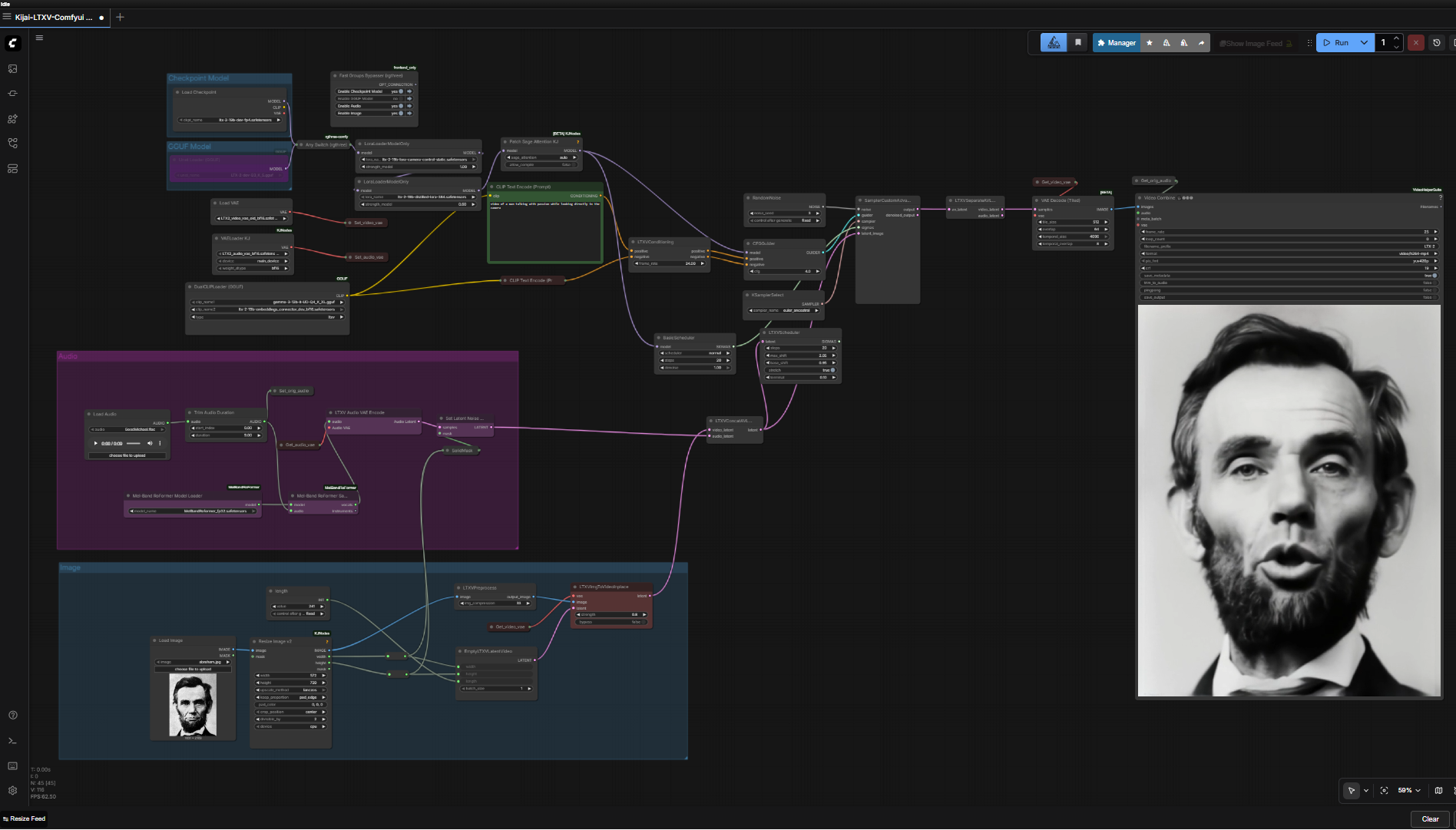
Preview
Requirements
- GPU: NVIDIA RTX 30XX/40XX/50XX (FP16)
- VRAM: 8 GB minimum, 12 GB+ recommended
- OS: Windows
- Storage: 50 GB+ free
Model downloads
- LTX-2 embeddings connector (bf16) https://huggingface.co/Kijai/LTXV2_comfy/tree/main/text_encoders
- gemma-3-12b-it (Q4_K_XL GGUF) https://huggingface.co/unsloth/gemma-3-12b-it-GGUF/tree/main
- LTX2 audio + video VAE (bf16) https://huggingface.co/Kijai/LTXV2_comfy/tree/main/VAE
- LTX-2-dev (Q3_K_S GGUF) https://huggingface.co/QuantStack/LTX-2-GGUF/tree/main/LTX-2-dev
- LTX-2 spatial upscaler x2 https://huggingface.co/Lightricks/LTX-2/tree/main
- LTX-2 IC-LoRA detailer https://huggingface.co/Lightricks/LTX-2-19b-IC-LoRA-Detailer/tree/main
- MelBand RoFormer (fp32) https://huggingface.co/Kijai/MelBandRoFormer_comfy/tree/main
- LTX-2 19B diffusion models https://huggingface.co/Lightricks/LTX-2/tree/main
Custom nodes
- ComfyUI Manager https://github.com/ltdrdata/ComfyUI-Manager
Setup steps
- Install ComfyUI Manager + requirements; place models in clip/vae/unet/loras/diffusion_models.
- Load the workflow below into ComfyUI.
- Toggle groups with the Fast Groups Bypasser.
- Input an audio file + reference image, tune the prompt, and run.
Notes & tips
- 10s 480p in under 3 min on an RTX 4090; scales to 720p+ at 24fps.
- Works with GGUF and standard diffusion; high-res source images help.
Want the 1-click version?
Skip the manual model downloads and node installs — get a ready-to-run installer, or unlock all 75+ with Local Lab Pro.