Jib Mix ZIT — Z-Image Turbo Finetune
Jib Mix ZIT is a refined Z-Image Turbo checkpoint tuned for cleaner, more realistic portraits — sharper detail, smoother skin, prettier faces — while keeping Z-Image Turbo's fast, low-step workflow on consumer GPUs.
✓ 100% free — download the workflow and run it locally.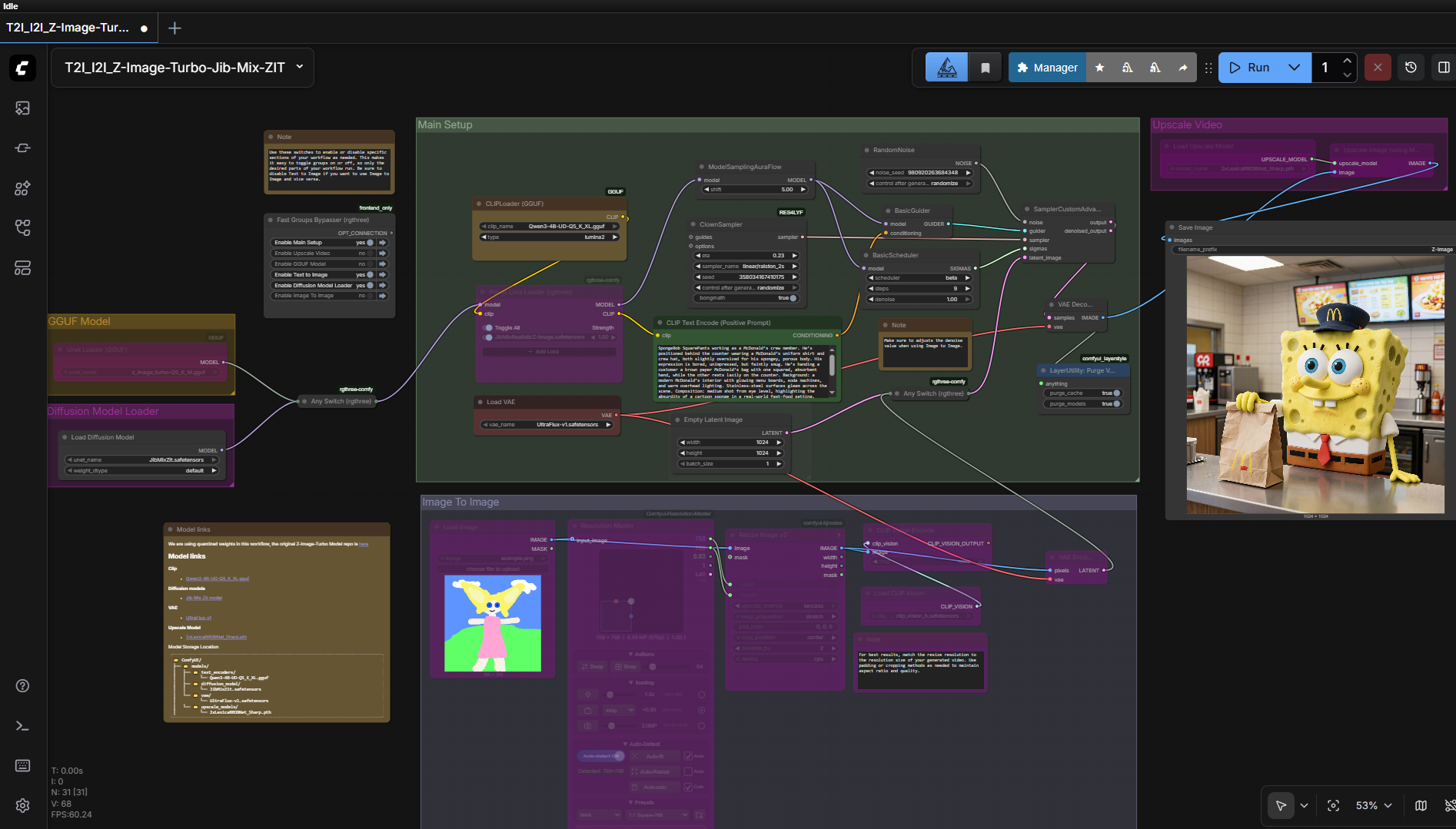
Requirements
- GPU: NVIDIA RTX 30XX/40XX/50XX (FP16; GTX 10XX/20XX untested)
- VRAM: 4 GB minimum (more recommended)
- OS: Windows
- Storage: 25 GB+ free
Model downloads
- JibMixZit.safetensors (diffusion) https://civitai.com/models/2231351/jib-mix-zit
- Qwen3-4B UD Q5_K_XL GGUF (CLIP) https://huggingface.co/unsloth/Qwen3-4B-GGUF/tree/main
- UltraFlux-v1 (VAE) https://huggingface.co/Owen777/UltraFlux-v1/tree/main/vae
- 2xLexicaRRDBNet_Sharp (upscaler) https://huggingface.co/Thelocallab/2xLexicaRRDBNet_Sharp/blob/main/2xLexicaRRDBNet_Sharp.pth
Custom nodes
- ComfyUI Manager https://github.com/Comfy-Org/ComfyUI-Manager
Setup steps
- Install ComfyUI Manager and the required custom nodes.
- Place models in diffusion_models / clip / vae / upscale_models.
- Load the Jib Mix ZIT workflow in ComfyUI.
- Toggle T2I / I2I sections with the Fast Groups Bypasser (disable T2I when using I2I, and vice versa).
- Enter detailed prompts (LLM enhancement helps) and run.
Notes & tips
- Only fp16 / fp8 are supported for now; a GGUF variant is pending release.
Want the 1-click version?
Skip the manual model downloads and node installs — get a ready-to-run installer, or unlock all 75+ with Local Lab Pro.