Flux 2 Klein 9B Character FaceSwap
A ComfyUI face-swap workflow combining Flux 2 Klein 9B Edit with the BFS Character FaceSwap LoRA by Alissonerdx. GGUF models let it run on modest 6GB GPUs while keeping Klein 9B's realistic, detailed output.
✓ 100% free — download the workflow and run it locally.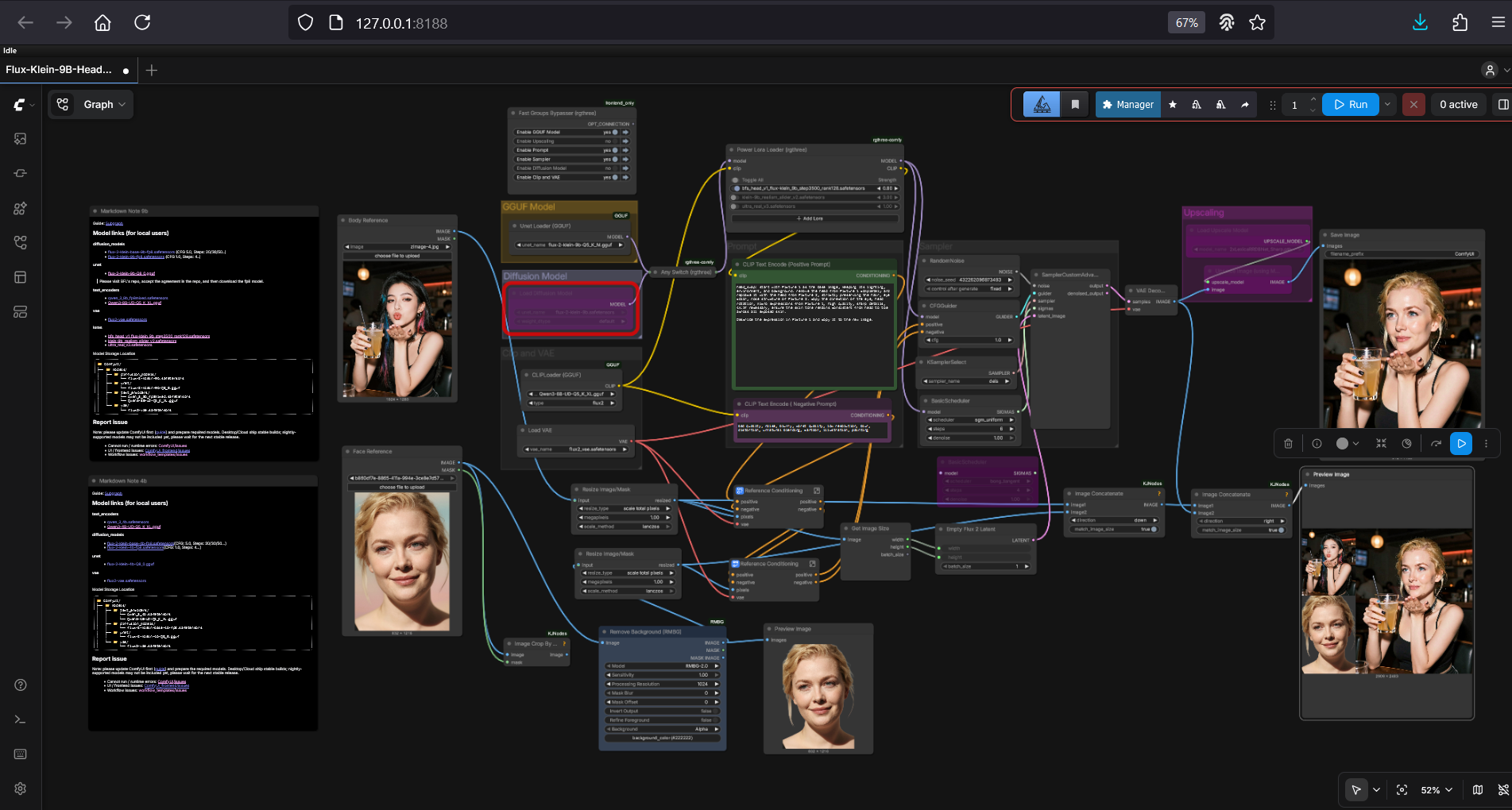
Requirements
- OS: Windows
- GPU: NVIDIA 6GB+ VRAM (8GB recommended)
- Software: ComfyUI
Model downloads
- flux-2-klein-9b Q5_K_M GGUF (UNet) https://huggingface.co/unsloth/FLUX.2-klein-9B-GGUF/tree/main
- Qwen3-8B UD Q5_K_XL GGUF (CLIP) https://huggingface.co/unsloth/Qwen3-8B-GGUF/tree/main
- flux2_vae.safetensors (VAE) https://huggingface.co/black-forest-labs/FLUX.2-klein-4B/tree/main/vae
- 2xLexicaRRDBNet_Sharp (upscaler) https://huggingface.co/Thelocallab/2xLexicaRRDBNet_Sharp/blob/main/2xLexicaRRDBNet_Sharp.pth
- BFS Character FaceSwap LoRA https://huggingface.co/Alissonerdx/BFS-Best-Face-Swap/tree/main
- Ultra Real v3 LoRA (Klein 9B) https://civitai.com/models/2462105/ultra-real-klein-9b?modelVersionId=2810006
- Realism Slider v2 LoRA https://civitai.com/models/2401004/realism-slider?modelVersionId=2758892
Custom nodes
- ComfyUI Manager https://github.com/ltdrdata/ComfyUI-Manager
Setup steps
- Import the workflow JSON below into ComfyUI.
- Load the Flux 2 Klein 9B GGUF checkpoints into their loader nodes.
- Upload a reference face image and the target body image.
- Run the workflow.
- Adjust the LoRA weights and realism slider to taste.
Notes & tips
- Includes preconfigured support for three enhancement LoRAs.
- Prefer one-click? A ready-made Flux 2 Klein installer is available.
Want the 1-click version?
Skip the manual model downloads and node installs — get a ready-to-run installer, or unlock all 75+ with Local Lab Pro.